


Peavey Speakers article
Peavey Speakers for Beginners: A Complete Guide
Starting with Peavey speakers is straightforward and forgiving. This guide covers setup, first-week steps, and how to avoid common beginner mistakes.
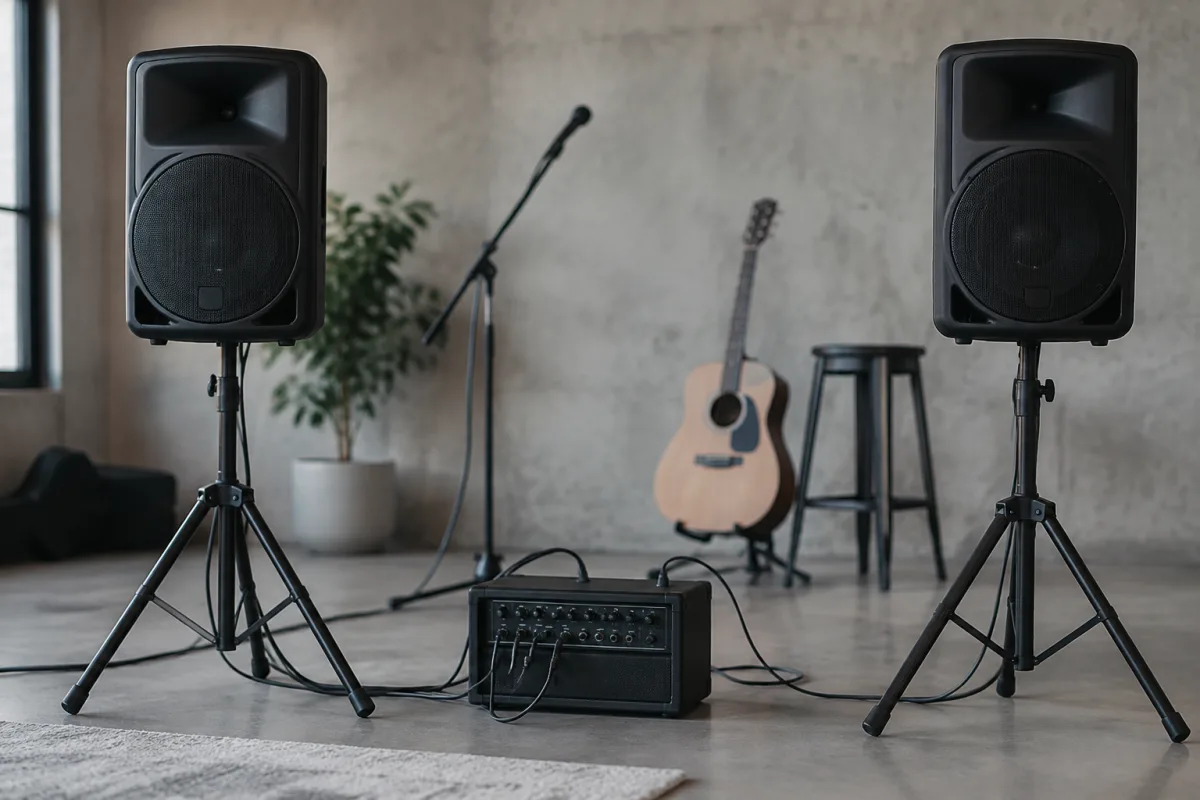
If you're a beginner approaching amplified guitar or live sound for the first time, Peavey speakers are a genuinely forgiving choice that won't overwhelm you with complexity. Peavey has built a reputation for straightforward, durable equipment that simply works—no mystique, no fuss. This guide demystifies Peavey speakers for nervous first-timers: what to expect, how to set them up, what might confuse you, and how to get the best sound without panic.
Why Peavey Speakers Are Great for Beginners
The first reassuring fact: Peavey speakers are engineered to be easy. Peavey's philosophy is accessibility and reliability rather than exotic sound design. This means when you unbox a set of Peavey speakers, there are fewer daunting options and tweaks to master. The connections are straightforward, the volume controls are clearly labeled, and the sound quality is solid out of the box without requiring hours of adjustment.
Durability is another blessing for beginners. Peavey speakers are built to handle careless handling—being transported in van, dropped slightly, rained on during outdoor gigs. They won't fall apart the moment they experience real-world abuse, which is genuinely comforting when you're learning to gig and can't afford to baby expensive gear. This robustness means you can focus on learning, not worrying.
Price is also beginner-friendly. Peavey speakers cost significantly less than boutique alternatives, so you're not dropping thousands on equipment before you even know if you'll stick with live sound. If you decide this hobby isn't for you, you haven't destroyed your savings. This low barrier to entry is psychologically valuable when you're nervous about trying something new.
Understanding Peavey Speaker Basics
Before you plug in Peavey speakers for the first time, understand three simple concepts. First: powered versus passive. Most entry-level Peavey speakers are "powered," meaning the amplifier is built into the cabinet. You plug in a microphone, instrument, or mixer directly and adjust volume—that's it. Passive speakers (rarer for beginners) require a separate amplifier connected by cable, which is more complex. Buy powered Peavey speakers if you're starting out.
Second: input types. Your Peavey speakers will have XLR sockets (for professional microphones and cables), likely a 3.5mm jack (for phones and laptops), and possibly RCA phono sockets (for older equipment). Don't worry about memorising these; just confirm your Peavey speakers have an input type matching what you want to plug in. If you're unsure, ask the shop assistant or email Peavey's support—they're responsive to beginner questions.
Third: wattage and size. Peavey speakers come in small (100-300W), medium (400-800W), and large (1000W+) sizes. For bedroom practice, 100W is overkill; for a small bedroom or rehearsal space, 200-400W is ideal; for live venues or loud bands, 600W+. The bigger the cabinet, the heavier it is to move. Start with a size that matches your actual use case now, not someday's fantasy use case.
Your First Week with Peavey Speakers
Day one: unbox, read the manual, and plug in. Yes, actually read the manual. Peavey speakers manuals are mercifully short and clear. Five minutes of reading saves you hours of confusion later. Check that the power switch is off before plugging in.
Day two: plug in a microphone or instrument and experiment with volume. Start at zero and turn it up slowly. Feel the power; get comfortable with how loud your Peavey speakers can get. Many beginners are shocked at how much volume comes from a modest cabinet. This is normal—embrace it.
Day three: run a song or recording through your Peavey speakers. Adjust the bass and treble knobs (if present) and listen for what feels natural. High treble makes everything sound thin and harsh; low treble dulls things. Bass up makes mud; bass down makes brittleness. Start flat (middle position) and adjust tiny amounts from there. Small tweaks to Peavey speakers EQ make big differences in how music sounds.
Day four and beyond: place the speakers strategically. Point them toward where listeners sit, not into a wall behind the speaker. Elevate them slightly (on a stand or low table) so sound projects at ear level, not at ankles. Good placement of Peavey speakers transforms perceived volume and clarity without turning the master volume up further.
Common Beginner Mistakes with Peavey Speakers
Turning volume all the way up is the most common error. Beginners often assume louder equals better, but Peavey speakers sound best at moderate volume where the drivers work efficiently. Cranking them to 100% introduces distortion, wears out components faster, and sounds worse than 70% volume. Use volume control to find the sweet spot, typically 60-75% for most rooms.
Placing Peavey speakers in wrong locations kills sound quality. Putting them in a corner makes bass boomy and muddy. Pointing them directly at a wall creates reflections and phasing issues that sound confusing. Place Peavey speakers centrally in your room, pointed toward the listening area, and elevated to ear level. Experiment; even small position changes affect sound dramatically.
Ignoring the EQ controls is another beginner trap. Many first-timers leave everything at default and wonder why their Peavey speakers sound off. Spend ten minutes adjusting the bass and treble knobs (if your model has them) and note what sounds natural to your ears. This "voice" becomes your reference point. Music that sounds flat in your room on Peavey speakers probably does elsewhere too, so your tuning is actually training your ear.
Overloading inputs causes distortion. Your Peavey speakers have maximum input levels. If the input signal is too hot (too strong), the speakers distort and sound awful. Usually there's an input gain knob; start it at zero and turn it up until the signal comes through cleanly without distorting. If your signal source is too loud (say, a microphone positioned too close), move the source back or lower its input level. Peavey speakers distortion usually means operator error, not broken gear.
Letting speakers get damp or dirty shortens their life. Your Peavey speakers have grilles (protective mesh covers) for a reason. Keep dust and moisture away. If outdoor rain is likely, cover them with a waterproof blanket or store them inside. Moisture inside a speaker cabinet encourages rust and component failure. Peavey builds durable speakers, but they're not waterproof.
Connecting Other Equipment to Peavey Speakers
Most beginners eventually want to connect a microphone, an instrument, and maybe a phone to their Peavey speakers at the same time. Your powered Peavey speakers likely have multiple inputs. Plug microphones into XLR sockets, instruments into 3.5mm or TS (quarter-inch) jacks, and phones into 3.5mm. Adjust each input's volume using the channel knobs (if present) or use a simple mixer (£30-£60 new) to manage multiple sources. Don't worry about terminology; shop staff can help identify which cable fits which socket on your specific Peavey speakers model.
Troubleshooting First Fears
My Peavey speakers sound distorted. Check the volume knob isn't maxed out, and that the input signal (from your microphone, instrument, or device) isn't too loud. Lower the input volume or move the microphone back. If it still distorts, you might be clipping (pushing too much signal in). Adjust your input gain down and try again.
My Peavey speakers make a humming sound. This is usually electrical hum caused by a ground loop—two audio devices sharing different electrical grounds create a buzzing loop. Ensure all your equipment is plugged into the same power outlet or a power strip. If hum persists, it's not you, it's physics; it's solvable with a small XLR ground lift adapter (£5-£10).
My Peavey speakers aren't loud enough. Move them closer to listeners, point them directly at the listening area, and raise the volume gradually. Peavey's entry-level speakers are designed for small-to-medium rooms; if you're trying to fill an outdoor festival, you need bigger speakers or more of them. Honest assessment of your needs saves frustration.
Learning More About Your Setup
After your first month with Peavey speakers, you might want to explore advanced features, specifications, and how Peavey speakers compare to other brands. Read our complete guide to Peavey speakers for deeper technical details and expert insights.
Final Thoughts: You've Got This
Picking up Peavey speakers as a beginner is the right call. They're straightforward, forgiving, durable, and affordable. In your first week, you'll unpack them, plug them in, and make noise—that's success. In your second week, you'll adjust settings and find what sounds good. By month two, you'll feel genuinely confident troubleshooting small issues and setting up for different venues. Peavey speakers reward curiosity and direct you toward confidence, not overwhelm. Trust the process, ask when you're unsure, and enjoy the journey.



Comments