


Marshall Guitar Effects article
Marshall Guitar Effects for Beginners: A Complete Guide
Marshall guitar effects are straightforward tools that instantly transform your tone. This beginner's guide covers what they do, which to buy first, and how to get started.
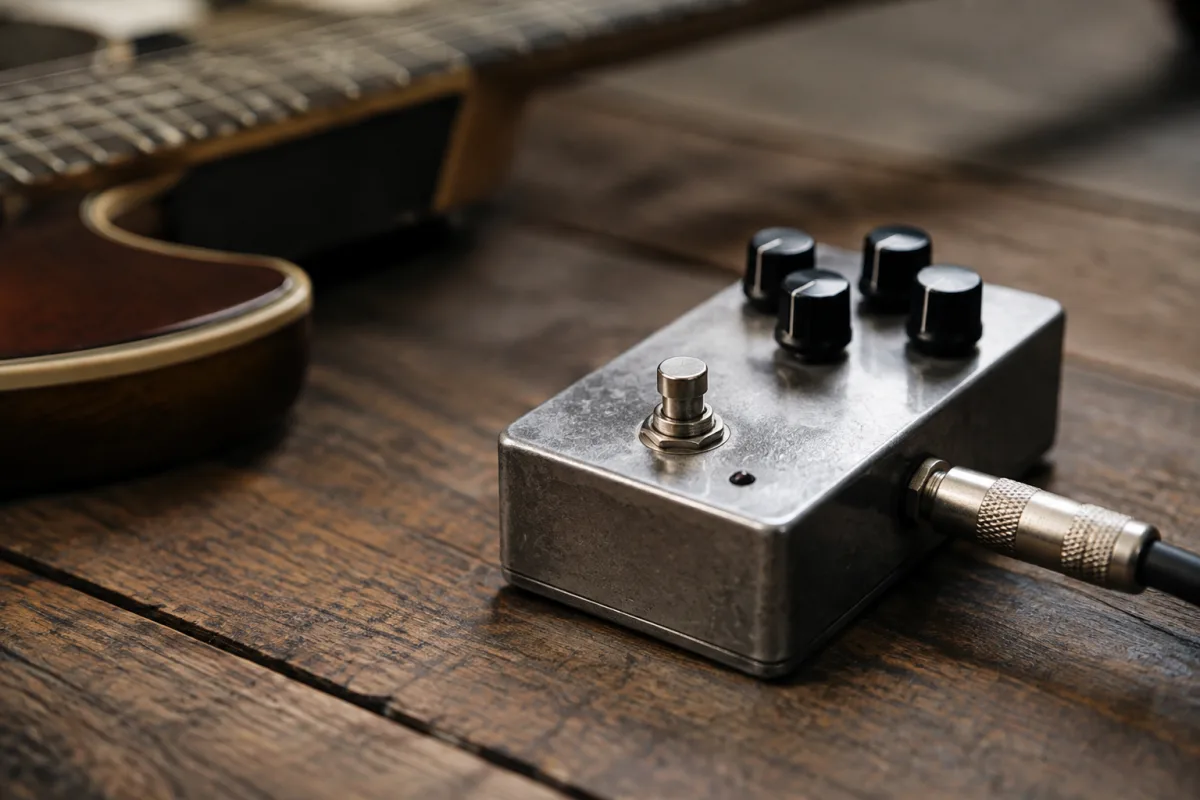
Marshall guitar effects pedals and units are iconic in rock and metal playing—they're the trusted tools for adding distortion, modulation, and spatial effects to your tone. If you're picking up effects for the first time, Marshall is a sensible starting point. This beginner's guide explains what Marshall effects do, how to use them, and how to avoid the common pitfalls beginners fall into.
What Marshall Guitar Effects Actually Are
A Marshall effects unit is a pedal or rack device that processes your guitar signal, adding or modifying the tone. The most common Marshall effect is distortion (a gritty, aggressive sound), but Marshall makes reverb, delay, modulation, and other effects too. You plug your guitar into the effect, plug the effect into your amp, and instantly your tone changes.
Marshall effects are known for reliability and no-nonsense functionality. They're not cutting-edge technology, but they work, they sound good, and professional guitarists have used them for decades.
Types of Marshall Guitar Effects
Distortion and Overdrive
Marshall's most famous effect is distortion—the thick, aggressive tone you hear on rock records. The Guv'nor Plus and Drivemaster are classics. Distortion increases the volume of your signal until it "breaks up," creating that gritty texture.
Overdrive is similar but less aggressive. It sounds like a pushed amplifier rather than an electronic processor. Many guitarists prefer overdrive for blues and classic rock; distortion for metal and modern rock.
Modulation (Chorus, Flanger, Phaser)
These effects create movement in your tone by duplicating your signal and playing it back slightly out of time or at varying pitch:
- Chorus: Makes your guitar sound like two instruments playing together. Adds width and depth.
- Flanger: A swooshing, jet-like effect. Noticeable and distinctive.
- Phaser: Similar to flanger but subtler. Creates a swirling sensation.
Reverb and Delay
Reverb makes your guitar sound like it's in a larger space (a cathedral, a concert hall, a parking garage). Delay repeats your notes after a brief pause, creating echo and space. Both are used to add depth and dimension to your tone.
Your First Marshall Effect: How to Get Started
If you're buying your first Marshall guitar effects pedal, here's the practical path:
Step 1: Decide What You Want
Do you want aggression (distortion), movement (modulation), or space (reverb/delay)? Most beginners start with distortion because it's the most noticeable and immediately useful. A distortion pedal transforms a clean, boring tone into something that can carry a song.
Step 2: Buy One Effect, Not Ten
Resist the urge to buy a multi-effects unit with every effect built in. Start with a single pedal that does one thing really well. You'll learn that effect inside out, and you won't be overwhelmed by options. A Marshall distortion pedal costs £30–100 used; a multi-effects rig costs £200+.
Step 3: Plug It In Correctly
Connect your guitar cable to the input of the effect, then connect the output of the effect to your amp's input. It's simple, but getting it backwards (amp to effect) ruins your tone.
Step 4: Start with All Controls at Noon (12 o'clock)
Turn every knob to the middle position. This gives you a starting point. Then adjust slowly, listening to how each knob changes the tone. Turn the "gain" or "drive" knob up to increase the effect's intensity. Turn "tone" to adjust brightness or warmth.
Step 5: Play and Experiment
Spend an hour just playing with the pedal. Turn knobs, hear how they change the tone, and develop intuition for what each one does. There's no "correct" setting—only what sounds good to you.
Common Beginner Mistakes With Marshall Effects
- Turning the gain/drive knob all the way up: Maximum distortion doesn't always sound good. A settings at 70–80% often sounds better and more playable than maxed out.
- Using too many effects at once: Each effect can make your tone muddier. One or two effects sound good; five effects can sound chaotic. Master one before adding another.
- Buying a expensive multi-effects rig as a beginner: You'll be overwhelmed by options and won't use most of them. A simple single-effect pedal teaches you more.
- Not using the tone control: The "tone" knob on a distortion pedal dramatically changes how the effect sounds. Spend time adjusting it—it's not secondary, it's crucial.
- Plugging the effect into the amp's headphone jack instead of the input: Your effect won't come through, and you'll think it's broken. Always use the main amp input.
- Leaving the effect on all the time: Use the footswitch to turn the effect on and off during songs. This lets you have a clean tone for verses and an effected tone for choruses.
- Not checking your cable connections: 80% of beginner "problems" with effects are actually loose cables. Firmly push cables in until they click.
Popular Marshall Effects to Consider
If you're shopping for your first Marshall effect, these are reliable choices:
| Effect | Model | Price | Best For |
|---|---|---|---|
| Distortion | Guv'nor Plus | £60–100 | Classic, versatile rock and metal distortion |
| Overdrive | Drivemaster | £50–80 | Pushed-amp tone for blues and classic rock |
| Reverb | Reflector (vintage) or Rev-1 | £60–150 | Space and depth without harshness |
| Delay | Delay 87 | £100–200 | Clear repeats and echo for space |
Used examples are often cheaper and just as reliable. Check the condition and test before buying.
Building Your Pedal Board Later
Once you're comfortable with one effect, you can add more. A typical beginner's pedalboard might look like:
- Guitar tuner (not technically an effect, but essential).
- Overdrive (for warmth or pushing a lead tone).
- Distortion (for heavy sections).
- Delay (for space and depth).
- Reverb (for dimension).
Each effect chain into the next, with cables connecting them. Your guitar plugs into the tuner, the tuner into the first effect, and the last effect into your amp. This gives you the flexibility to use effects individually or in combination.
But start with one. Seriously. Master that first pedal, then expand.
Amp Volume vs. Effect Intensity
A common beginner question: should the effect be loud or quiet? Here's the honest answer: it depends. Some players set their effect so it's the same volume as their clean tone, then they stomp the switch to toggle it on and off mid-song. Others set it louder for impact. Experiment and choose what feels right for your playing style and the songs you're learning.
Next Steps
Buy or borrow a single Marshall effect pedal, plug it in, and spend an afternoon experimenting. You'll quickly learn what you like and what you don't. Don't overthink it. For a comprehensive guide to Marshall effects across different models and advanced techniques, see our complete guide to Marshall guitar effects.
Conclusion
Marshall guitar effects are straightforward tools that instantly improve your tone. Start with a single pedal, learn how it works, and then expand. There's no mystery—just knobs to turn and a footswitch to engage. Within an hour, you'll be confident using effects and ready to explore more advanced sounds.



Comments