


Chorus Boss article
Chorus Boss for Beginners: A Complete Guide
Boss chorus pedals sound mysterious but are beginner-friendly. Discover the basics, start with conservative settings, and build confidence using this beautiful effect.
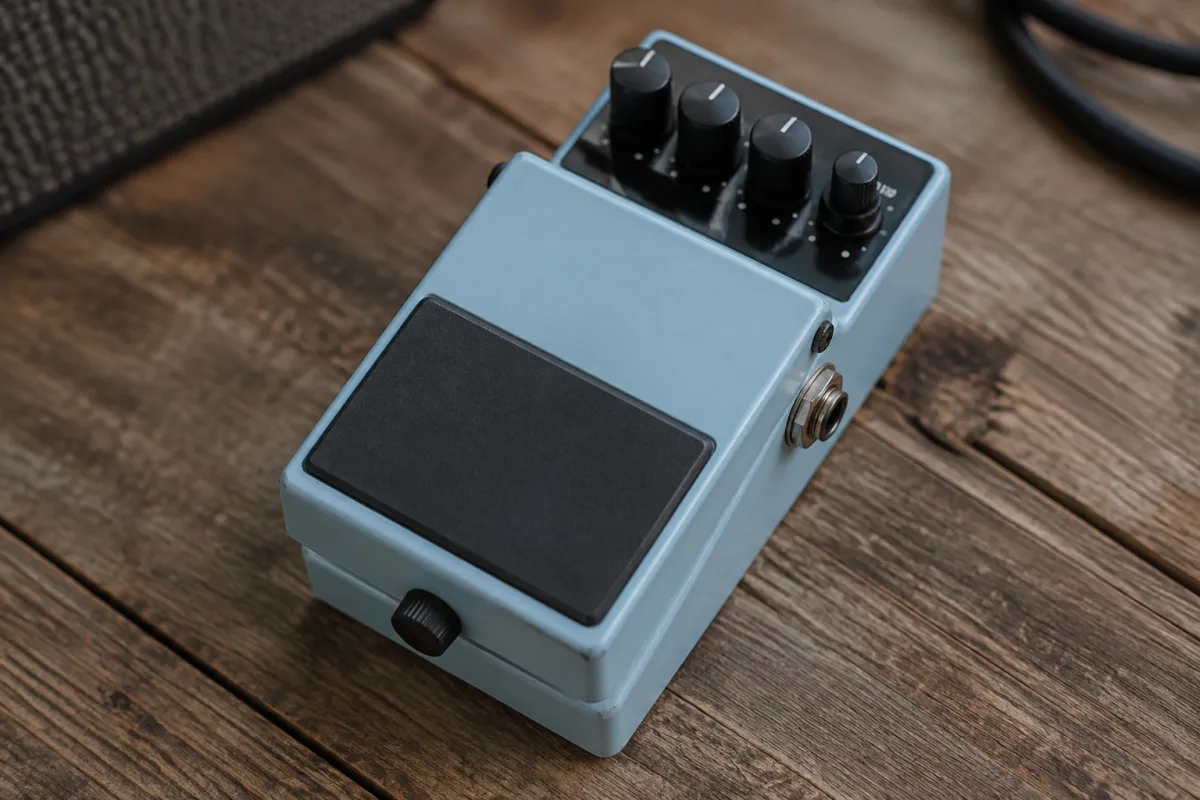
If you're new to guitar effects pedals, chorus might seem mysterious and intimidating. You've heard other guitarists use it and thought their tone sounded spacious and shimmery, but you're not sure what chorus actually does, whether you need it, or how to use it without sounding like a 1980s synthesiser gone wrong. Boss chorus pedals are the industry standard for a reason—they're beginner-friendly, reliable, and sound genuinely great when you understand the basics. This guide takes the confusion out of chorus effects and shows you exactly how to use a Boss chorus pedal to enhance your tone without overwhelming your playing.
What Chorus Actually Does
Chorus effects work by duplicating your guitar signal, slightly delaying one copy, and mixing it back with the original. This creates the illusion that multiple guitars are playing at once, with slight variations between them. The result is a shimmery, lush tone that sits beautifully in a mix and adds dimension to single-note passages and chords alike.
The effect doesn't sound artificial when used subtly. Many nervous beginners assume chorus will make their guitar sound fake or overly processed, but Boss chorus pedals (especially the acclaimed CE-5 model) sound organic and musical when settings are moderate. Think of chorus as seasoning for your tone—a little bit enhances everything, while too much becomes overwhelming.
Unlike distortion, which changes the fundamental character of your tone, chorus preserves your original signal while adding width and space. This makes it easier to experiment with than aggressive effects. You can always dial it back if it's too much.
Understanding Basic Chorus Controls
Most Boss chorus pedals (including the CE-5) include these essential controls:
- Rate: Controls how fast the effect modulates (wobbles). Slow rates (1–3 Hz) create smooth, natural chorus. Fast rates (5+ Hz) sound more dramatic and artificial. For beginners, stay below 5 Hz initially. You can increase it later as you develop taste for different sounds.
- Depth: Controls how intense the effect is. Low depth values (30–40%) add subtle shimmer. High depth values (70%+) create obvious, lush chorus. Start low and increase gradually. Most classic chorus sounds sit in the 40–60% range.
- Level: Controls the overall volume of the effect. Set this so the chorus-affected tone is similar in volume to your dry signal. Many beginners make the effect too loud, which masks their playing rather than enhancing it.
- Mix: On some Boss models, this controls the balance between dry and wet signal. Leave it around 50% unless you prefer more or less of the effect sound.
Start with these settings: Rate around 2 Hz, Depth at 50%, and Level matched to your bypassed tone. Play for a few minutes at these settings. This gives you a baseline chorus sound to reference before adjusting.
Common Beginner Mistakes to Avoid
- Making the effect too fast or intense. Beginners often crank the Rate and Depth controls, which creates an obvious, artificial-sounding effect. Restrain yourself. Chorus sounds best when you barely notice it at first, then discover its presence on repeated listens.
- Using chorus on everything. Chorus works beautifully on clean tones and jazzy chords. It sounds terrible on tight rhythmic riffs or heavy distortion. Know when to use it and when to leave it off. Try chorus on lead lines first, then decide where else it fits your style.
- Neglecting the Level control. A common error is setting the effect so loud it dominates your tone instead of complementing it. If chorus is drowning out your playing, reduce the Level control. Your original tone should remain primary; chorus is enhancement, not replacement.
- Forgetting that chorus needs space to breathe. Chorus works best on amplifiers with enough headroom to reproduce the full effect. On tiny practice amps, chorus might sound compressed or muddy. Try chorus through different amplifiers to hear how the effect quality varies.
- Assuming all Boss chorus pedals are the same. Boss makes several chorus models (CE-5, CE-2W, CE-3) with subtle differences. The CE-5 is excellent for beginners because it sounds vintage and musical. Research which Boss model suits your needs before buying.
Finding Your Sound: Practical Settings for Different Styles
Different musical styles benefit from different chorus settings. Here are starting points for common approaches:
For clean, bright tone (jazz, funk, clean electric): Rate 2–3 Hz, Depth 45–55%, Level matched to dry. This creates gentle, musical chorus that enhances clean tones without overwhelming them.
For lead guitar solos: Rate 3–4 Hz, Depth 55–65%, Level slightly below dry signal. This makes lead lines shimmer and pop in a mix without turning them into ethereal ambient tones.
For psychedelic or experimental tone: Rate 5+ Hz, Depth 70%+, Level high. Crank it up and let it be obvious. This is the extreme end of chorus and works for specific sounds, but definitely not every song.
For subtle enhancement (your main sound): Rate 1.5–2 Hz, Depth 30–40%, Level subtle. This barely-noticeable chorus adds space and width without announcing itself.
Getting Started with Your Boss Chorus Pedal
When you first plug in a Boss chorus pedal, don't panic if the effect sounds overwhelming. The default settings often have more depth and rate than you'll actually want. Here's your step-by-step approach:
Day one: Set all controls to conservative values (Rate 2 Hz, Depth 40%, Level moderate). Play songs you know well. Focus on how chorus affects the tone.
Day two: Increase the Rate by 1 Hz. Play the same songs. Hear the difference? Return to Day One settings.
Day three: Increase the Depth by 10%. Play. Return to baseline.
By the end of the week, you'll have discovered how each control changes the chorus sound, and you'll have developed taste for what works in your playing. This methodical approach builds understanding way faster than randomly twisting knobs.
When to Use Boss Chorus (and When to Skip It)
Chorus enhances clean tones, jazzy chords, and lead lines. It works wonderfully as an always-on effect for certain styles (some 1980s pop uses always-on chorus). However, chorus typically doesn't work well on heavily distorted tones, tight rhythmic riffs, or metal-style playing. The effect gets lost in saturation or sounds muddy layered under distortion.
Use your footswitch to toggle chorus on and off during songs. This lets you add shimmer to lead passages while keeping rhythm parts clean and tight. This dynamic approach usually sounds more musical than leaving chorus permanently engaged.
The Path Forward
Boss chorus pedals are genuinely beginner-friendly because they sound good at conservative settings and only improve as you develop taste for effects. There's no "wrong" chorus sound—just different interpretations based on your preferences and musical style. Start conservative, adjust gradually, and trust your ears.
For comprehensive information on all Boss chorus models, advanced techniques, and detailed comparisons with other effects brands, our complete guide to Boss chorus pedals covers everything in depth. Right now, focus on starting with conservative settings, listening carefully to how each control affects your tone, and building confidence with this effect. Once you're comfortable with chorus, exploring other effects becomes far less intimidating.


Comments