


Boss Dd 500 article
Boss Dd 500 for Beginners: A Complete Guide
Boss DD-500 beginner guide: set up easily, use presets immediately, understand delay fundamentals, and grow naturally into advanced techniques.
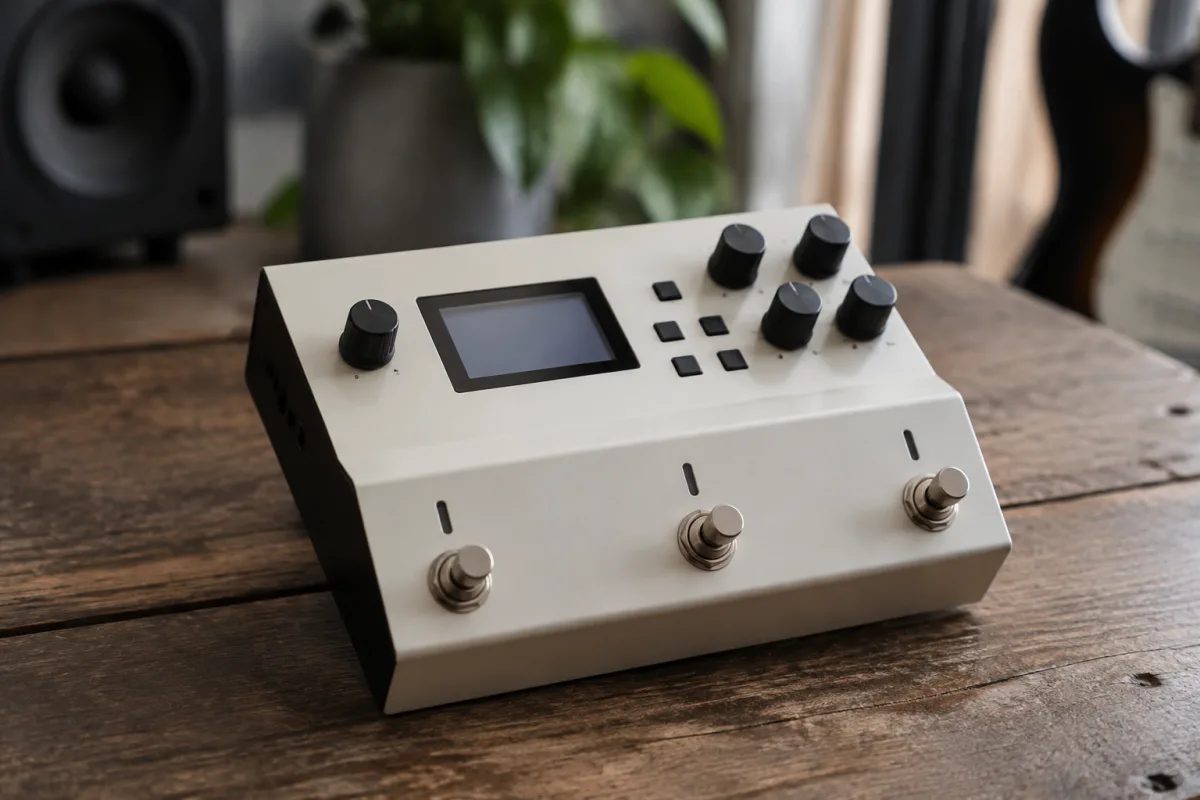
The Boss DD-500 is a professional-grade delay effects unit that can feel intimidating when you first open it. Buttons everywhere, an unfamiliar interface, a display with cryptic abbreviations, and enough parameters to confuse anyone—it's easy to wonder whether you've purchased professional equipment or a complicated machine that's beyond your skill level. Here's the comforting truth: the Boss DD-500 is designed to grow with you. Beginners can achieve spectacular results using basic features within minutes, and advanced capabilities emerge naturally as your understanding deepens. This guide shows you the fastest, least overwhelming path to making music with the DD-500.
Understanding What the Boss DD-500 Actually Does
The DD-500 is a dedicated delay effects processor—it takes your guitar or bass signal, adds delay (echo) effects, and outputs the processed sound. Think of it as a sophisticated echo machine offering dozens of delay types, each with unique character: simple analog-style echoes, spacious digital delays, experimental reverse delays, and everything in between. It's a tool for creative expression, not an instrument you need to master before making music.
The DD-500 isn't your only effects option—you could use cheaper pedals, guitar amplifier effects, or plugin software. The DD-500 excels for touring musicians, studio professionals, and serious enthusiasts who want genuine delay artistry. As a beginner, understand this is a serious tool you're investing in, not an entry-level purchase. This doesn't mean you'll be overwhelmed—it means you can grow into increasingly sophisticated uses over months and years.
Setup and Connection Fundamentals
Before powering on, connect the DD-500 into your signal chain correctly. Typically, delays go between your guitar and amplifier, or as part of a pedalboard with other effects. Plug your guitar cable into the input, connect the output to your amplifier, and power on using the included power supply. That's setup. Truly. Nothing more required for basic operation.
You'll see the display light up and the DD-500 initialise. Give it 10 seconds to boot completely. It's now ready for sound. Don't panic about "optimal setup" involving complex routing—that's professional-level consideration. Connect it simply and move forward.
Finding Your First Delay Effect Without Overwhelm
The DD-500 contains hundreds of delay presets—premade effect configurations ready to use immediately. Your job isn't understanding every parameter; it's finding sounds that excite you. Press the "Type" button or scroll through the interface until you see preset categories. Look for something simple: "Analog Delay," "Tape Echo," or "Slap Delay" are iconic sounds used in professional recordings.
Select "Analog Delay" and press play or footswitch to activate the delay. Play a simple melodic phrase on your guitar. Hear how the notes repeat rhythmically? That's delay in action. Beautiful, right? Stop right here. You've just used professional delay effects. Don't complicate this by tweaking parameters. This first moment—hearing delay transform your playing instantly—is the entire beginner experience.
Understanding Tempo and Delay Subdivisions
Every delay needs a tempo (speed) to know how quickly echoes repeat. The DD-500 has a tap tempo feature—press the footswitch rhythmically to set tempo. Tap it slowly (90 BPM) and delays repeat slowly and spaciously. Tap faster (180 BPM) and echoes become rapid and dense. This is intuitive: your tapping directly controls the delay character.
Don't stress about BPM numbers initially. Just tap a rhythm you like and hear how delays respond. You're controlling a powerful creative tool through simple rhythmic input. This is genuinely elegant design from Boss.
Common Beginner Mistakes to Absolutely Avoid
The biggest mistake: immediately diving into parameter editing—trying to tweak feedback, mix level, time subdivision, and dozens of other controls. You'll get lost, frustrated, and confused about what each parameter actually does. Instead: use presets as-is for your first week. That's it. Press a preset, play, enjoy. That's success at the beginner stage.
Another frequent error: running the delay effect 100 percent wet (effect signal only, no original guitar sound). This results in hearing only echoes with no direct signal—confusing and unusable musically. Run the default mix (typically 50 percent wet/dry) as configured in presets. Direct signal plus delayed echoes is the correct balance for almost all applications.
Beginners also often assume every advanced effect sounds good. Many experimental delays from the DD-500's library sound intentionally bizarre or abstract. This isn't a flaw—it's intentional artistic design. If a preset sounds strange or unmusical, skip it and try another. No preset is objectively "correct"; your ears are the judge.
Playing Musically with Delay
Here's where delay becomes genuinely inspiring: play simple chords or melodies through the DD-500's Analog Delay preset. Play a note, hold it, and listen to echoes bloom and decay naturally. The effect creates spaciousness and dimension your dry guitar signal alone cannot. This is why delays are beloved by guitarists across genres—they're musically rewarding even to beginners.
Record yourself playing through delay for 30 seconds. Listen back. The combination of your playing and the DD-500's processing should sound professional and inspiring. Celebrate this. You're creating music with equipment used by touring musicians and recording professionals.
Learning Progressively Through Curiosity
After your first week playing with Analog Delay and Slap Delay presets, natural questions emerge: "What's this other delay type?" "How do I make delays faster/slower?" "Can I stack multiple delays?" Google these specific questions as they arise. Question-driven learning keeps you engaged without information overload.
After one month of regular DD-500 use, certain presets will become favourites. You'll intuitively reach for specific delay types when writing music. Deeper parameter understanding develops naturally from repeated use—you'll wonder what a knob does, tweak it gently, hear the difference, and understand its purpose through experimentation.
Connecting to Other Equipment Safely
The DD-500 connects into your existing setup without complicated routing. If you have other pedals, place the DD-500 after distortion, overdrive, or modulation effects (delays typically work best on the "clean" end of your signal chain). If you're using it standalone into an amplifier, connection is straightforward: guitar to DD-500 input, DD-500 output to amplifier.
Most beginner confusion involves audio levels. If your signal sounds quiet through the DD-500, adjust the output level using the controls (or check the manual for your specific routing). Levels should match your amplifier's normal operating range—roughly similar volume whether the delay is engaged or bypassed.
Recording Your Progress
Record 30-second clips of your playing with delay enabled. Listen back daily. You'll hear your phrasing improving, your sense of rhythm developing, and your musical ideas becoming more coherent. These recordings become documentation of your progress—genuinely motivating to revisit weeks later and hear how much you've improved.
For comprehensive information about the Boss DD-500's full capabilities and advanced techniques, refer to the complete guide to Boss DD-500, which explores detailed features and professional production workflows.
Your Path Forward
Power on the DD-500, find a delay preset that excites you (Analog Delay is perfect), play for 15 minutes, record a clip, and stop. You've succeeded completely. This isn't a trial run or preparation phase—it's actual musical creation with professional equipment. Everything beyond this first session is additional exploration and refinement. You've already accomplished the important part: making music with the DD-500 and discovering it's genuinely enjoyable. Now keep playing and let curiosity guide your learning forward.



Comments