


USB Turntable article
Usb Turntable Explained: Features, Types and Tips
A USB turntable converts vinyl to digital, letting you archive records, create backups and preserve rare albums. Understand the differences between turntable types and what quality matters when choosing one.
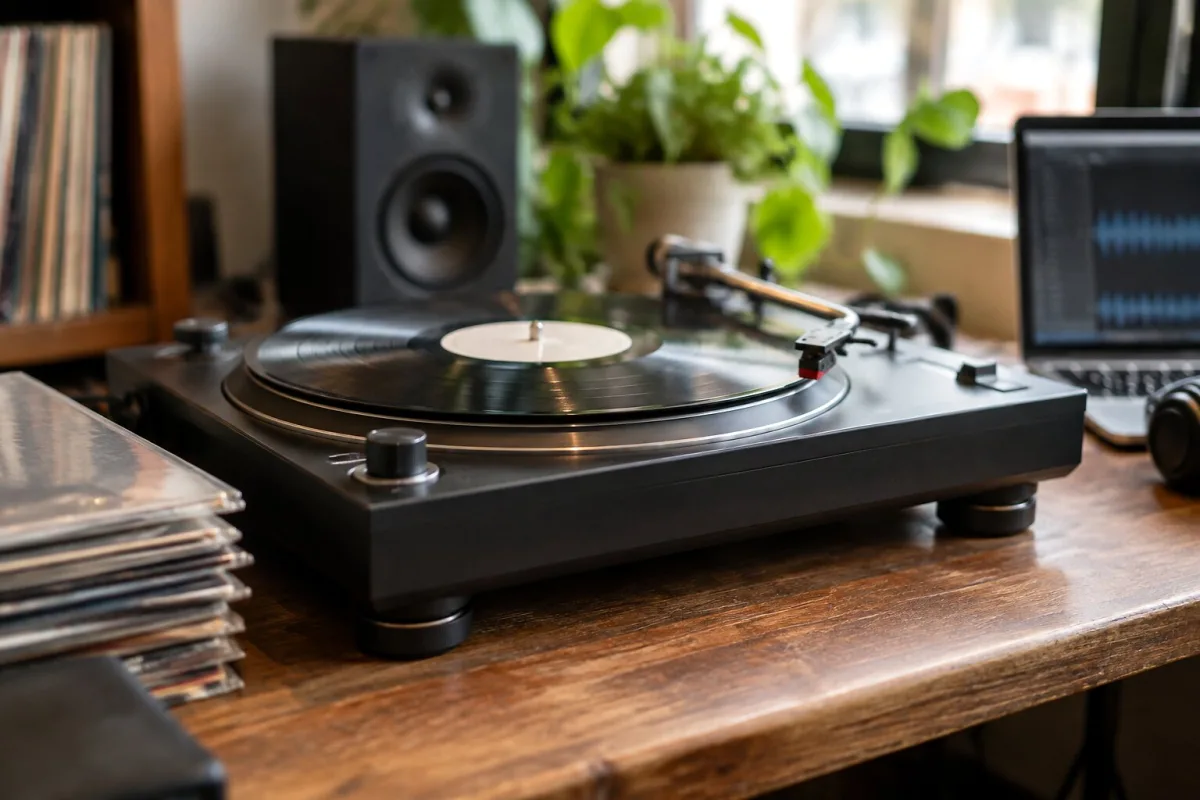
A USB turntable is a record player that listens to your vinyl and talks to your computer. It converts the analog signal from your cartridge directly to digital, sending it down a USB cable where recording software—Audacity, for example—can capture it as a WAV file. It's essentially a bridge between the physical world of vinyl and the digital realm of your hard drive.
The appeal is straightforward: if you've got a collection of records—rare ones, damaged ones, ones that are out of print and hard to replace—a USB turntable lets you preserve them. You can split albums into individual tracks, apply gentle noise reduction, and create backup copies for your phone or portable player. All without needing a separate USB interface or complicated gear.
But here's the honest bit: USB isn't magic. A USB turntable is only as good as its cartridge, its phono stage and its converter. Buy a cheap all-in-one record player with USB and you'll get convenience. Buy something with a decent cartridge and a proper preamp, and you'll get something worth keeping.
How a USB Turntable Actually Works
The signal path is simple. Your vinyl groove vibrates the cartridge, producing a tiny signal called a phono-level output. Too quiet for most equipment to handle directly. A phono preamp inside the turntable amplifies it and applies RIAA equalization—a standardised curve that compensates for how records are cut. Then comes the USB part: an analog-to-digital converter takes that amplified signal and turns it into numbers your computer understands. Those numbers travel down the USB cable as a stream of digital audio.
The whole thing happens in real time. You can't speed it up. A 45-minute record takes 45 minutes to capture.
Some USB turntables also have traditional RCA outputs, letting you connect to an amplifier or powered speakers for regular listening. Some don't—they're recording-only devices. Check before you buy if you care about hearing your records the old-fashioned way.
USB Versus Bluetooth: What's the Difference?
A USB turntable sends audio to a computer. A Bluetooth turntable sends audio to your phone, speaker or headphones wirelessly. They solve different problems.
If you want to digitize, archive and edit your vinyl—split tracks, add metadata, reduce noise—USB is what you need. If you want to play records through wireless speakers or listen in different rooms, Bluetooth wins. Some newer turntables offer both, which covers most bases, though USB is usually where the better recording quality lives.
Main Turntable Types
Fully Automatic USB Turntables
The tonearm descends automatically when you press start and lifts at the end of a side. Perfect if you want minimal fuss, pure simplicity. Audio-Technica's AT-LP60XUSB is the canonical example—it's been the affordable, uncomplicated choice for years. Connect it, press play, walk away. No thinking, no tonearm cueing.
Manual USB Turntables
You control the tonearm yourself, cueing where you want to start and lifting when finished. More work, more control. If you want to upgrade the cartridge or stylus later, manual turntables are usually easier to modify.
Direct-Drive USB Turntables
The motor drives the platter directly—no belt in between. Direct-drive turntables start instantly, hold speed reliably and let you adjust pitch for DJ work or creative effects. Audio-Technica's AT-LP120XUSB is a superb example—a turntable that's equally happy doing serious DJ work or preserving your parents' record collection.
Belt-Drive USB Turntables
A rubber belt isolates the platter from the motor, reducing vibration and noise. Belt-drive is more common in consumer and hi-fi models. Pro-Ject makes excellent belt-drive USB turntables aimed at hi-fi enthusiasts. They tend to sound warmer and quieter than direct-drive, at the cost of slightly slower start-up.
Recording Quality Matters More Than You'd Think
Not all USB turntables record the same way. Some capture in CD-quality WAV format—16-bit, 44.1 kHz—uncompressed and perfect for archiving. Others use MP3 compression, which throws away data and isn't suitable as a master copy.
If your plan is serious preservation, check the specs. Can it record WAV or FLAC? Or are you stuck with MP3? The difference between lossy MP3 and lossless WAV is the difference between a photocopy and the original.
Built-In Preamp or External?
Most USB turntables include a built-in phono preamp. Plug it into powered speakers or your computer and you're done. Some don't, which means you'll need an external preamp if you want to listen to records through conventional stereo gear.
A built-in preamp is more convenient. An external preamp is more flexible—you can upgrade it or use better equipment elsewhere in your chain. It's a trade-off between simplicity and control.
All-in-One vs. Separates
All-in-one record players bundle the turntable, built-in speakers, and sometimes a radio or Bluetooth into one box. They're tempting because everything's included. The honest truth: they're compromises. Speakers crammed into the same cabinet as the turntable pick up vibration. The stylus usually needs replacing within a year or two. You can't upgrade anything.
A standalone USB turntable with decent specs, paired with good powered speakers and a proper cartridge, gives you far better sound and lets you upgrade later. It's the difference between a toy and a real tool.
Final Thoughts
A USB turntable is genuinely useful if your goal is preserving vinyl or creating digital backups. Get one with a decent cartridge, proper RIAA preamp and lossless recording capability, and you've got something worth owning. Skip the all-in-one boxes. Your records deserve better.



Comments