


Reloop DJ Controller article
Everything You Need to Know About Reloop Dj Controller
Reloop DJ controllers deliver professional build quality and intuitive control at affordable prices. Explore their range, features and how to choose the right model for your needs.
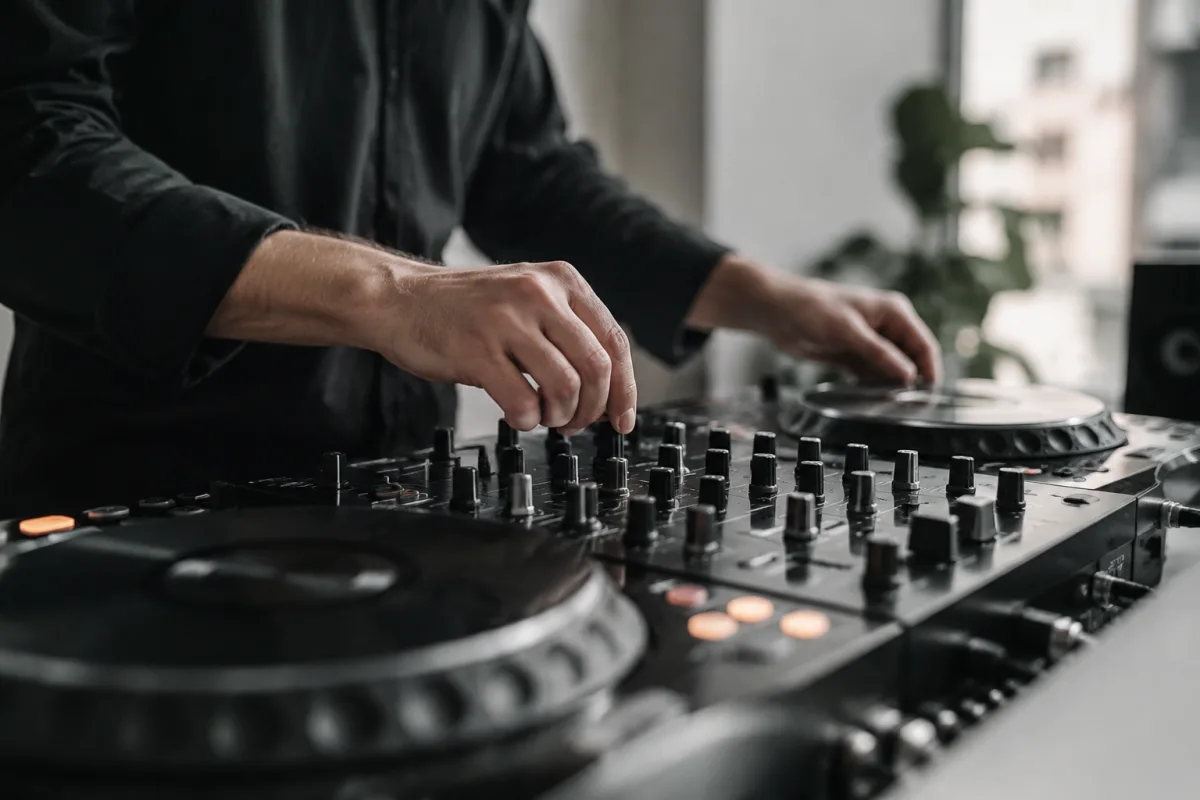
Reloop DJ Controllers: Building Blocks for Modern DJing
Reloop has established itself as a manufacturer of reliable, affordable DJ equipment that doesn't sacrifice quality for price. Their DJ controller range spans from entry-level USB controllers for bedroom producers to mid-tier setups suitable for small clubs and events. A Reloop DJ controller connects your laptop to speakers and headphones, letting you mix digital music files with the tactile control that defines good DJing: physical faders for volume and EQ, jog wheels for scratching and seeking, and buttons for effects and cue points.
Why Choose Reloop?
Affordability Without Compromise
Reloop controllers offer genuine build quality and control options at price points significantly lower than Pioneer or Numark equivalents. You're not paying for hype or brand prestige; you're getting functional, well-engineered equipment that does the job.
Solid Build Quality
Reloop controllers are known for durability. They use quality faders, responsive jog wheels and sturdy enclosures. Many DJs report their Reloop controllers still functioning after years of regular use, suggesting investment in longevity rather than obsolescence.
Intuitive Layout
Reloop controllers generally feature straightforward, logical layouts. Channel faders are where you'd expect them, jog wheels are responsive and well-positioned, and effects controls are accessible. This intuitive design means you spend less time hunting for buttons and more time mixing.
Strong Community Support
Reloop has an active community of users sharing mappings, tips and tutorials. If you get stuck on something, chances are another Reloop user has documented the solution.
Reloop Controller Range
Entry-Level Controllers (Beatmix, Mixon)
Reloop's entry-level controllers are compact USB devices suitable for beginners and producers wanting to explore DJing without major investment. These feature basic mixer functionality, jog wheels, and integration with free or affordable DJ software. Perfect for learning the fundamentals and bedroom production.
Mid-Tier Controllers (RP-8000, Elite)
Mid-tier Reloop controllers add professional touches: better jog wheel response, more extensive effects controls, dual-channel mixing with crossfader, and typically Serato DJ or Rekordbox integration. These suit club work, wedding DJing, and serious hobby producers wanting performance-ready equipment.
Specialised Controllers
Reloop manufactures controllers designed for specific purposes—turntable emulation controllers (RP-7000 and RP-8000) for DJs transitioning from vinyl, compact controllers for mobile DJing, and specialty controllers for specific software platforms.
Essential Features of Reloop DJ Controllers
Jog Wheels
Every Reloop controller features jog wheels for seeking through tracks and scratching. Quality jog wheels feel responsive and smooth, allowing precise control during live mixing. Larger wheels (like those on professional setups) are generally easier to manipulate accurately than smaller ones.
Channel Faders and Crossfader
Smooth, responsive faders are essential for clean mixing. Channel faders control volume on each deck; the crossfader blends between channels. Quality Reloop faders offer smooth motion and satisfying feedback.
Effects Controls
Modern Reloop controllers include knobs and buttons for effects like reverb, echo, filter and loop. These let you add creativity and dynamic change to your mix beyond simple volume adjustments.
Cue Point and Loop Controls
Buttons for setting cue points (markers in tracks you want to remember), and controls for creating loops (repeating sections) help you structure your mix and hit specific moments in tracks precisely.
Headphone Cue Output
All DJ controllers include a headphone output with independent cueing, letting you listen to the next track privately while the main output plays to the audience. This is essential for smooth mixing—you need to hear what's coming before you transition.
Setting Up a Reloop DJ Controller
Hardware Requirements
You need a laptop (Mac or PC), the Reloop controller, speakers or a mixer/amplifier system, and headphones. Some setups also use external turntables for vinyl vinyl integration, though this isn't necessary for digital-only DJing.
Software Compatibility
Reloop controllers work with major DJ software: Serato DJ, Rekordbox, Virtual DJ and others. Check that your controller is compatible with your chosen software before purchasing. Most recent Reloop controllers support multiple platforms.
Driver Installation and Setup
Install the latest drivers from Reloop's website, configure your audio inputs and outputs in your DJ software, and set your desired effect parameters. Most DJs report straightforward setup with minimal troubleshooting needed.
Mixing Techniques with Reloop Controllers
Beatmatching
Modern DJ software handles most of the pitch-matching automatically, but understanding how to use the tempo fader to match beats is fundamental. The jog wheel helps fine-tune by speeding or slowing the playback slightly.
EQ and Filter Mixing
Rather than just blending volume, professional DJs use EQ controls to blend frequencies. Pulling down the low end on the outgoing track while boosting it on the incoming track creates a smooth, professional-sounding transition.
Effects and Creativity
A filter sweep, a reverb tail, or a looped break can add excitement and dynamic change to your mix. Learning to deploy effects tastefully separates competent DJing from engaging, creative DJing.
Reloop Controller Strengths and Limitations
Strengths
- Affordable entry point to DJ equipment
- Solid build quality and reliability
- Intuitive, logical control layout
- Wide compatibility with major DJ software
- Good jog wheel and fader response
Limitations
- Mid-tier controllers lack some of the advanced features of Pioneer or Rane gear
- Build materials are sometimes plastic rather than metal
- Smaller form factors can feel cramped for larger hands
- Software is typically third-party (Serato, Rekordbox) rather than Reloop's own platform
Reloop vs. Competitors
vs. Pioneer DDJ Series
Pioneer controllers dominate the DJ market but cost significantly more. They offer more features and polish, but Reloop controllers deliver 80% of the functionality at 50% of the price. Excellent value if you're budget-conscious.
vs. Numark and Denon
Similar positioning to Reloop—mid-tier equipment at competitive prices. Each brand has loyal users. Reloop's strength lies in value and build quality; Pioneer's strength is standardisation and advanced features.
vs. Native Instruments
Native Instruments controllers are feature-rich and well-integrated with Traktor software, but significantly more expensive. Reloop offers simpler, more affordable alternatives if you're not committed to Traktor specifically.
Getting Started with Reloop DJ Equipment
Start by learning your hardware: practise beatmatching, master the jog wheels and faders, and become comfortable with your software. Join online communities, watch tutorial videos and, most importantly, practise. The best learning happens through experimentation—start in a low-pressure environment (bedroom, small friends' gathering) before attempting club or event work.
Conclusion
A Reloop DJ controller offers an excellent entry point into DJing or a solid mid-tier option for working DJs and producers. The combination of affordable pricing, solid build quality and intuitive control layout makes Reloop a smart choice for anyone serious about DJing without wanting to spend top-tier money. Whether you're learning, producing in the bedroom or working small events, a Reloop controller gives you the tactile control and reliability that defines good DJing.


Comments