


Native Instruments DJ Controller Buying guide
Native Instruments Dj Controller: A Complete Buyer's Guide
Choosing a Native Instruments DJ controller for your style. Understand deck options, jog wheel quality, Traktor integration, and price ranges.
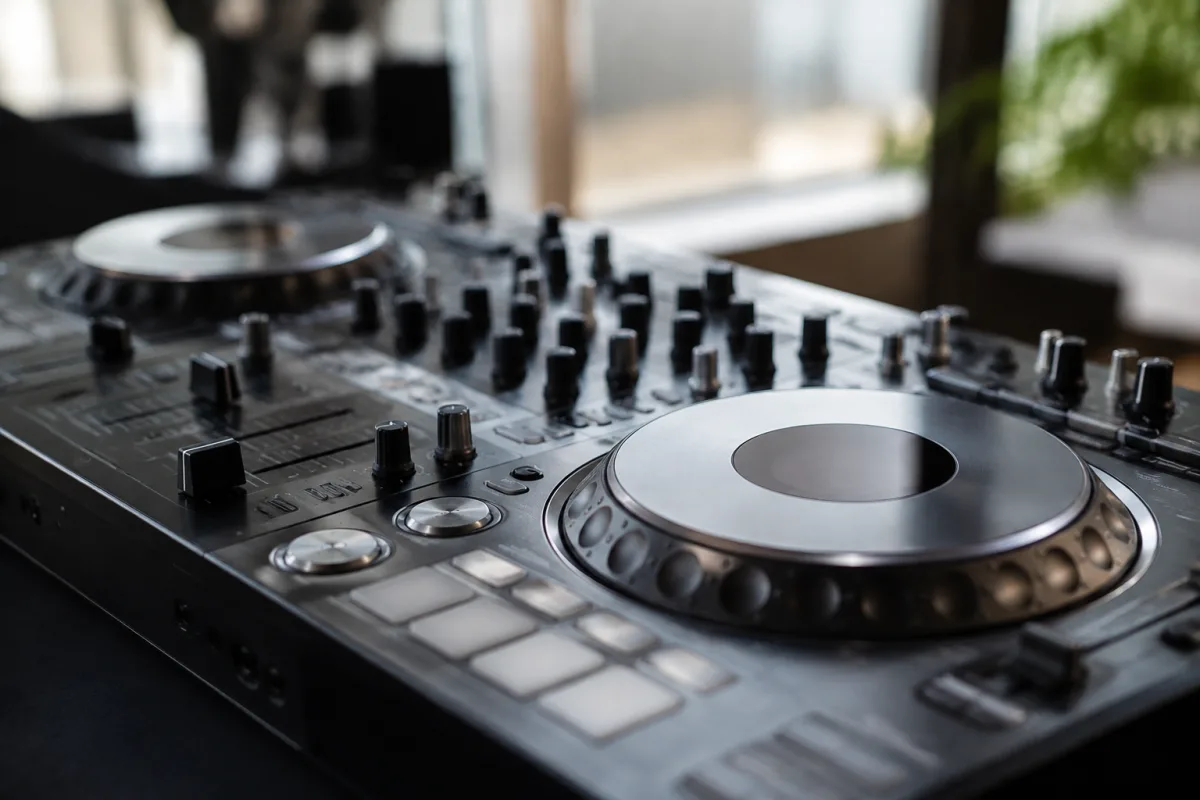
Choosing a Native Instruments DJ controller is straightforward if you understand what you're actually looking for. Native Instruments has built a tight ecosystem around their Traktor software, which means if you're already committed to Traktor, a Native Instruments DJ controller makes logical sense. But if you're platform-agnostic, you'll want to compare with Pioneer and other brands. This guide shows you what to evaluate when buying a Native Instruments DJ controller—from deck layout to build quality—so you end up with something that fits how you actually DJ.
Understanding the Native Instruments DJ Controller Range
Native Instruments makes several Native Instruments DJ controller models, from compact 2-deck controllers to professional 4-deck rigs. The naming convention is usually Traktor Kontrol followed by a letter and number: S2 (entry-level), S3 (mid-range), S4 (professional). Each tier targets different workflows and budgets. A Native Instruments DJ controller in the Traktor Kontrol line integrates beautifully with Traktor software, which is both a blessing and a potential lock-in depending on your priorities.
Deck Layout: What Matters for Your DJ Style
Two-Deck Controllers
A Native Instruments DJ controller with two decks (like the S2) is compact and affordable. It's perfect for bedroom DJing, learning, or live sets where you're mixing between two sources. The downside: limited effect control and fewer buttons for live manipulation. If you want to scratch, do complex effect routing, or perform four-deck mixing, a 2-deck Native Instruments DJ controller will feel cramped.
Four-Deck Controllers
A 4-deck Native Instruments DJ controller (S4) gives you genuine creative flexibility. Remix decks, sampling, complex effect chains—the layout supports real performance. The trade-off: larger footprint and higher cost. For festival DJing or serious production-oriented sets, a 4-deck Native Instruments DJ controller is worth the space and money.
Key Specifications to Evaluate
Touch-Sensitive Jog Wheels
The quality of jog wheels defines how a Native Instruments DJ controller feels. Cheap jogs are scratchy and imprecise. Good jogs have smooth, responsive platters that let you scratch and pitch-bend with confidence. Native Instruments generally nails this—their jog wheels are industry-standard smooth. Read reviews to confirm the specific model you're considering.
Faders and Buttons
Crossfaders, channel faders, effect knobs—these need to feel solid and last thousands of uses. Budget Native Instruments DJ controller models sometimes use cheap plastic faders that wear out. Mid-range and professional models use quality components. If you're buying used, test everything for play and wobble.
Encoding Switches and Performance Controls
Encoders (knobs that twist and click) and buttons let you control effects, filters, and Traktor parameters. More Native Instruments DJ controllers have more of these, which is good if you want deep control, overwhelming if you're a beginner. The S2 has fewer controls but they're well-mapped. The S4 is feature-rich but demands learning.
Integration With Traktor Software
A Native Instruments DJ controller works best with Traktor Pro or Traktor DJ. You can use third-party software (Rekordbox, Serato), but the integration and workflow is smoother with Traktor. If you're committed to Traktor, integration is seamless. If you're platform-agnostic, this potential lock-in matters. Some controllers work with multiple platforms; Native Instruments controllers are Traktor-focused.
Audio Quality and I/O
Does the Native Instruments DJ controller have line outputs for club mixing, or just USB audio? Professional Native Instruments DJ controller models have balanced XLR outputs (club-standard). Budget models might have only unbalanced RCA. Does it have microphone inputs? Built-in effects processing? Read the specs carefully. A Native Instruments DJ controller that handles microphone input with good gain staging is more versatile for radio and podcast work.
Build Quality and Durability
A Native Instruments DJ controller gets transported, bumped, and used intensively. Cheap plastic chassis crack. Steel plates last. Feel the actual controller before buying if possible. Does it feel sturdy? Are the cables permanently attached or replaceable? A Native Instruments DJ controller with modular connections (replaceable USB cables, detachable knobs) survives longer than an integrated design.
Price Tiers Explained
Budget (£250–400): 2-deck Native Instruments DJ controller models designed for learning and bedroom use. Good enough for mixing practice, fun at parties, rough live sets. Limited effect control and button count.
Mid-range (£400–700): 2-deck professional or 4-deck entry-level Native Instruments DJ controller systems. Solid build, good jog wheels, enough buttons for serious mixing. This is where most gigging DJs land if they choose Native Instruments.
Professional (£700+): High-end 4-deck Native Instruments DJ controller rigs with premium build, extensive controls, balanced audio outputs. Used by touring DJs. The extra spend is justified if durability and professional features matter to your work.
Comparison With Competitors
Pioneer and other brands offer comparable controllers. Pioneer DJ controllers often work with more software platforms (Rekordbox, Serato, Traktor via mapping). Native Instruments controllers are Traktor-native. For multi-platform gigging, Pioneer has an edge. For Traktor devotees, a Native Instruments DJ controller is the logical choice. Test both if possible before committing.
Making Your Final Choice
Write down your actual use case. Bedroom mixing only? A budget 2-deck Native Instruments DJ controller works. Regular live sets? Mid-range or professional. Platform commitment: if Traktor is your home, buy Native Instruments. If you need flexibility across platforms, consider Pioneer or another brand. A Native Instruments DJ controller you'll use confidently beats an expensive pro rig that intimidates you or doesn't match your workflow.
For deeper technical context on Native Instruments ecosystems and Traktor software setup, read our complete guide to Native Instruments DJ controllers.


Comments