
Akai Mpc Live 3 article
The Complete Guide to Akai Mpc Live 3
The Akai MPC Live 3 is a professional standalone beat-making and production instrument, ideal for hip-hop producers, DJs and beatmakers seeking portable creative control.
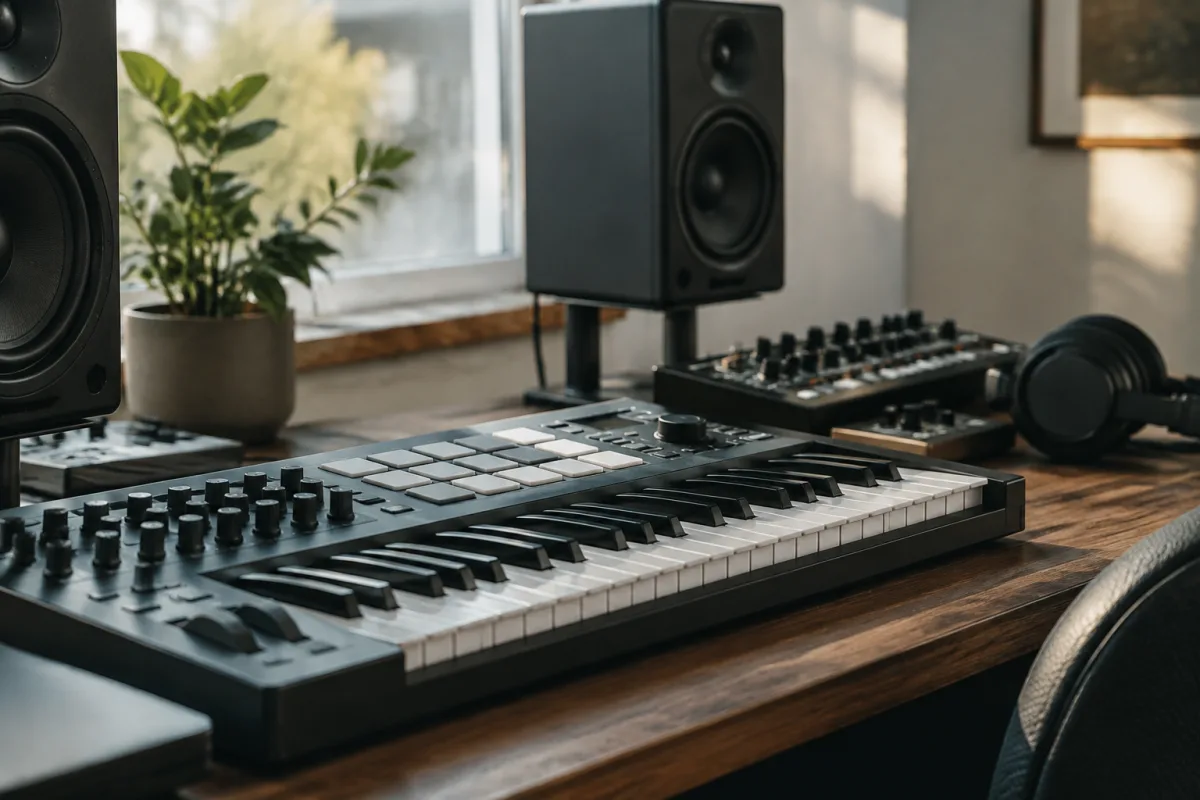
The Akai MPC Live 3 stands as the latest evolution in one of hip-hop and electronic music's most iconic production instruments. For three decades, Akai MPC machines have been synonymous with beat-making excellence, used to create some of the most influential hip-hop records ever released. The Akai MPC Live 3 builds on that legacy with enhanced touch controls, improved sound engines and deeper integration with modern production workflows, making it essential for producers, beatmakers and DJs who demand professional-grade performance and portability.
What Is the Akai MPC Live 3?
The Akai MPC Live 3 is a standalone music production instrument and beat-making workstation designed for electronic music, hip-hop and contemporary genres. Unlike earlier MPC models that required connection to a computer, the Akai MPC Live 3 operates completely independently, with internal sound engines, sequencing capabilities and effects processing built in. This self-contained design makes it ideal for producers who want to create full arrangements without booting up a laptop, as well as DJs who want intuitive control over samples and patterns during live performance.
The Akai MPC Live 3 ships with professional drum sounds, sampled instruments, synthesis engines and extensive effects. Producers can load custom samples, chop and arrange them into patterns, layer multiple instruments, add effects and export finished tracks. The hardware is highly portable — it runs on battery power and can fit into a backpack — yet it delivers production quality equivalent to a full studio setup.
Key Features of the Akai MPC Live 3
At the heart of the Akai MPC Live 3 is its 16-pad control surface, the signature interface of every MPC since 1988. These velocity-sensitive pads let you tap out rhythm patterns, trigger samples and control performance parameters in real time. The Akai MPC Live 3 adds a large seven-inch touch screen, a departure from the physical encoders of earlier models, allowing faster navigation and more intuitive workflow when editing sounds and sequences.
The sequencer in the Akai MPC Live 3 is powerful yet accessible. Record patterns step-by-step or in real time; quantise timing automatically or leave it human and loose. Layer multiple clips into full arrangements, build structure with sections and transitions, and develop complex compositions entirely on the device. The onboard storage holds thousands of sounds and patterns; you can also load custom samples via USB or SD card.
Sound design capabilities include subtractive synthesis, wavetable synthesis, drum synthesis and extensive sampling tools. Layering tools let you combine multiple sounds into a single pad. The Akai MPC Live 3 includes a professional effects suite — reverb, delay, distortion, compression and modulation effects that rival software DAWs. Every parameter can be sequenced and automated, enabling dynamic, evolving productions.
Sequencing and Workflow on the Akai MPC Live 3
The sequencer is where the Akai MPC Live 3 excels. Create clips — short musical ideas, drum loops or melodic phrases — and arrange them into a song structure. The Akai MPC Live 3 supports multi-track recording, where each track can contain multiple clips that play in sequence. Trigger patterns and clips in real time during performance or use the arranger to lock everything into place and export a finished track. The workflow feels intuitive, rewarding experimentation and rapid iteration.
Workflow advantages of the Akai MPC Live 3 include battery portability, which means you can produce anywhere — on a tour bus, in a hotel room, at a friend's studio or outdoors. The seven-inch touch screen makes editing faster than encoder-based navigation on earlier MPC models. USB and SD card connectivity allow quick file transfers to and from computers for further processing in a DAW (Digital Audio Workstation) or for loading third-party sample libraries.
Connectivity and Integration
The Akai MPC Live 3 connects to external gear via MIDI in and out, allowing you to trigger external synthesisers, drum machines or effects. Audio inputs accept line-level signals from turntables, microphones or other instruments, letting you sample and incorporate external sounds. Audio outputs feed monitors or recording interfaces. USB connectivity enables file transfers, and you can also use the Akai MPC Live 3 as a MIDI controller for a computer-based DAW if desired, though its standalone capabilities make this largely unnecessary.
Sound Quality and Built-In Sounds
The Akai MPC Live 3 ships with a curated library of professional drum kits, instrument samples, synthesiser patches and effects presets developed by Akai and third-party sound designers. These cover hip-hop, electronic, funk, soul, Latin and contemporary genres. The quality is broadcast-ready — usable on finished professional recordings without supplementation from expensive sample libraries. Of course, custom samples and third-party sound packs expand possibilities infinitely.
Akai MPC Live 3 vs. Earlier Models and Alternatives
The original Akai MPC1000 and MPC2000 dominated the 2000s; the Akai MPC Live (first released 2016) brought the MPC into the standalone era. The Akai MPC Live 3 refines this formula with a larger, more responsive touch screen, improved CPU power enabling longer, more complex sequences, enhanced touch controls and deeper MIDI mapping. Alternative standalone beat-makers include the Native Instruments Maschine+ and the Ableton Push (though Push requires software). The Akai MPC Live 3 remains the gold standard for portable, professional beat-making.
Learning Curve and Community
Newcomers to the Akai MPC Live 3 will find the interface approachable — the pad-based workflow is intuitive, and most producers pick up the basics within hours. Mastering advanced features like sound design, automation and modulation takes longer. The MPC community is vast and enthusiastic; countless YouTube tutorials, online courses and sample libraries support learning. Producers ranging from beginners to Grammy winners rely on the Akai MPC Live 3, and that community backing makes it easier to find help and inspiration.
Price and Value
The Akai MPC Live 3 is a significant investment, typically pricing between £1,500 and £2,000 depending on your region and any current promotions. For that investment, you get a professional-grade production instrument that requires nothing else — no computer, no software subscriptions, no additional gear. It will serve you for years. Rental is a sensible option if you want to trial before committing, and used units from reputable sellers often offer good value.
Conclusion
The Akai MPC Live 3 represents the culmination of thirty years of beat-making evolution. It honours the legacy of the original MPC — the instrument that helped define hip-hop and electronic music — whilst embracing modern production techniques and portable battery-powered performance. Whether you're a beatmaker crafting hip-hop bangers, a DJ building sets on the road or a producer seeking a mobile creative hub independent of software, the Akai MPC Live 3 delivers professional results out of the box. It remains the instrument of choice for serious producers who value portability, workflow efficiency and uncompromising sound quality.


Comments