


DJ Mixer article
Dj Mixer for Beginners: A Complete Guide
Feeling nervous about your first DJ mixer? This beginner's guide breaks down every control and teaches you to make smooth transitions.
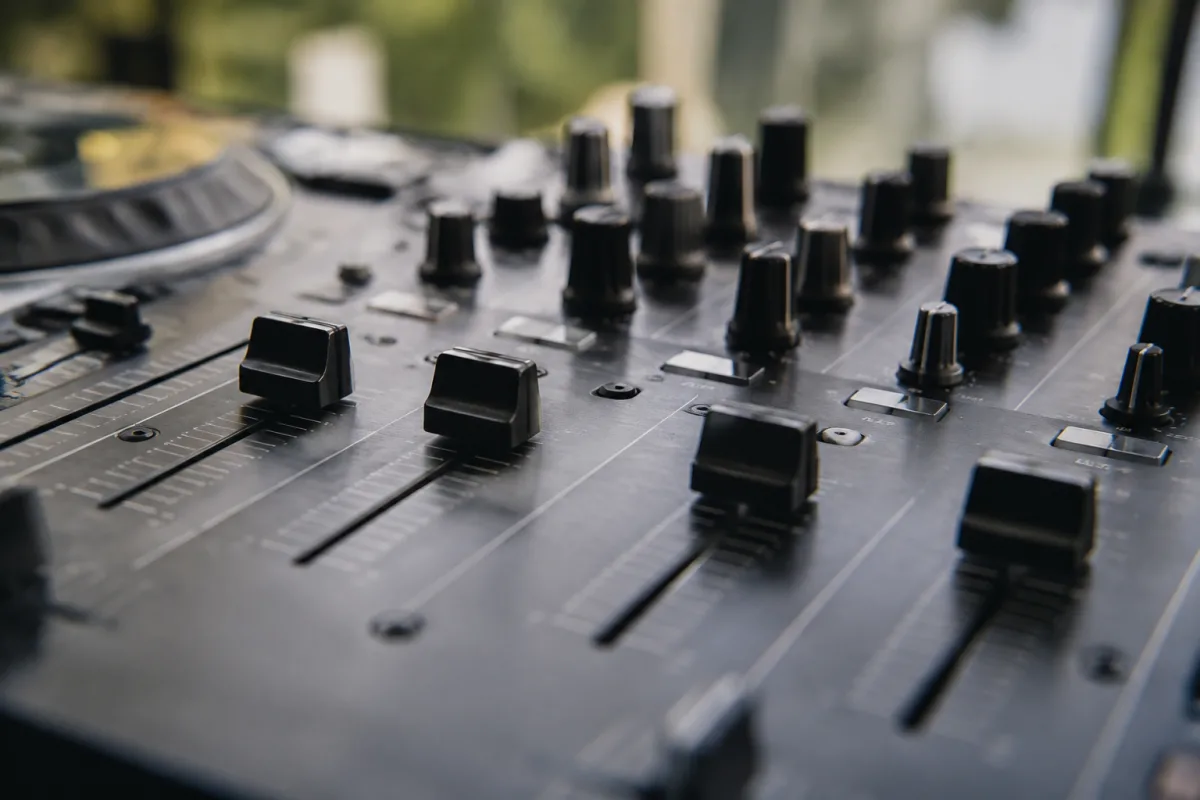
If you're thinking about learning to DJ or simply curious about how DJs blend music together, understanding the DJ mixer is essential. A DJ mixer is the central nervous system of any DJ setup—it's where music comes together, transitions happen, and the creative magic occurs. As a beginner, the complexity can feel overwhelming at first glance, but the fundamentals are genuinely straightforward. Once you understand the basics, using a DJ mixer becomes intuitive and genuinely fun. This guide walks you through everything a beginner needs to know to get comfortable behind the mixer.
What Is a DJ Mixer and Why Does It Matter?
A DJ mixer is an audio device that takes input from two or more audio sources (typically turntables, CD players, or digital controllers) and combines them into a single output you can hear through speakers and headphones. The mixer doesn't just combine these signals—it allows you to control volume, EQ, and effects on each channel independently, and crucially, it lets you seamlessly blend from one track to another.
Think of it like the mixing console in a recording studio, but designed specifically for live blending rather than multitrack recording. Your mixer is where your DJ personality shines through—it's the tool that transforms playing songs into creating a cohesive musical journey.
Key Components Every Beginner Should Understand
A typical DJ mixer has several essential components. Don't worry about memorising terminology—just understand the basic function of each:
- Channel faders: The vertical sliders on each channel. Move them to adjust how loud that channel plays. The most important control you'll use
- Crossfader: The horizontal slider in the middle that blends between the left and right channel. This is how you create smooth transitions between tracks
- EQ knobs: Three rotating knobs (usually bass, mid, treble) that let you sculpt the tone of each channel. Use these to match songs together before bringing the volume up
- Headphone cue buttons: Allow you to listen to incoming tracks in your headphones before playing them to the audience. Essential for smooth transitions
- Master volume: Controls overall output level to your speakers. Keep this consistent; use channel faders for mixing
- Pitch control (tempo slider): Adjusts the playback speed of the track. Use this to match tempos between songs so transitions feel natural
- Jog wheel (on digital mixers): Allows searching within tracks and scratching. Less critical for beginners
That's genuinely it for basics. Everything else is additional sophistication.
Getting Started: The First Steps
Learning mixer fundamentals takes surprisingly little time. Here's a practical beginner approach:
- Set your master volume to a reasonable level—around 75% of maximum is a good starting point
- Make sure both channel faders are down (volume at zero)
- Load a track on one channel and gradually bring the fader up. Listen and get comfortable with how volume changes sound
- Load a second track on the other channel. Again, bring its fader up slowly
- With both tracks audible, now experiment with the crossfader, moving it slowly from left to right
- Notice how the sound transitions from one track to another. This is the fundamental DJ skill
- Now adjust the EQ knobs on the incoming track (the one you're fading into), particularly reducing bass before bringing the volume up. This creates smoother transitions
- Practice until you can make transitions that don't sound jarring—smooth blends are the goal
These seven steps cover 80% of what beginner DJs do. Everything else is building on this foundation.
Understanding Beatmatching
Once you're comfortable with basic mixing, you'll notice that songs played at different tempos sound chaotic when blended. This is where beatmatching comes in. Simply put, beatmatching means adjusting the speed of the incoming track to match the tempo of the currently playing track. The pitch fader (tempo slider) does this.
For beginners, digital controllers and modern software do much of this automatically via "sync" buttons, but understanding the concept matters. Listen carefully to both tracks, and use the pitch fader to speed up or slow down the incoming track until the beats align. Modern mixers often show tempo in BPM (beats per minute)—match these numbers and your tracks will sync together.
This takes practice, but it's absolutely learnable. Don't feel discouraged if it seems difficult initially.
Mastering the Crossfader and Channel Faders
These two controls define the DJ experience. Here's how to use each effectively:
- Channel faders: Use these to gradually bring tracks in and out. Moving a fader up quickly is jarring; smooth, slow movements sound professional. Aim for 2-3 second transitions
- Crossfader: Move it smoothly from one side to the other. A jerky crossfader movement sounds amateurish. Practice moving it at consistent speed. Many beginners move it too quickly
- Combining both: Professional DJs blend these controls, not relying solely on one. You might bring the new track in slightly with the channel fader while slowly moving the crossfader toward it
Spend dedicated practice time on these. Smooth transitions are what separates professional-sounding DJs from chaotic, jarring mixes.
EQ Techniques for Smooth Blending
EQ is incredibly powerful once you understand it. The bass knob is typically the most important. As you transition to a new track:
- Reduce the bass on the incoming track—this makes it less prominent despite the volume increasing
- Bring the volume of the incoming track up slowly using the channel fader
- As the transition completes, gradually restore the bass on the incoming track to full
This technique creates seamless transitions where the beat never dies. It's genuinely one of the most useful skills you can develop as a beginner.
Common Beginner Mistakes to Avoid
Most beginners make these avoidable errors:
- Moving faders too quickly: Slow, smooth transitions sound better. 2-3 seconds is professional; 10 seconds is too slow
- Ignoring the headphones cue: This button is your safety net—preview what's coming before the audience hears it. Use it constantly
- Setting master volume too high: You'll clip the audio and damage speakers. Set it conservatively and use channel faders for mixing
- Neglecting beatmatching: Playing two tracks at different speeds sounds terrible. Spend time learning to match tempos properly
- Over-using effects: Effects are tools, not crutches. Beginners often apply reverb or delays excessively. Less is more
- Not practising enough: Smooth mixing comes from muscle memory. Practice regularly in your own time before playing for others
Types of Mixers for Beginners
Beginner mixers come in several formats:
- Dedicated hardware mixers: Standalone mixers you connect to turntables or controllers. Classic approach, excellent feel
- Software mixers: Virtual mixers inside DJ software like Serato or Rekordbox. Excellent for bedroom DJing and learning
- Integrated controllers: All-in-one devices combining mixer, deck controls, and effects. Perfect for beginners—everything you need in one box
For your first mixer, an integrated controller is often the best choice. You get everything you need, setup is straightforward, and the learning curve is gentler.
Building Your DJ Ear
The most important skill isn't technical—it's musical. Develop your ear by:
- Listening to professional DJs and noticing how they transition between tracks
- Paying attention to how tempos align and beats match
- Understanding how EQ changes affect the feel of a transition
- Recognising key compatibility between songs
This musical understanding comes with time and listening, not from reading or practice alone.
Moving Forward
Once you're comfortable with basics, you'll naturally explore more advanced techniques—scratching, effects, complex transitions, harmonic mixing. For now, focus on smooth volume transitions and basic beatmatching. These fundamentals form the foundation of everything else. For a more comprehensive exploration of DJ mixing techniques, equipment choices, and professional development, visit our complete guide to DJ mixers.
Remember, every professional DJ started exactly where you are now. DJing is genuinely learnable, and the mixer itself will become second nature with just a few hours of practice. Be patient with yourself, enjoy the process, and focus on making smooth transitions. That's genuinely all you need to begin.


Comments