


DJ Laptop Stand article
Everything You Need to Know About Dj Controller Stand with Laptop
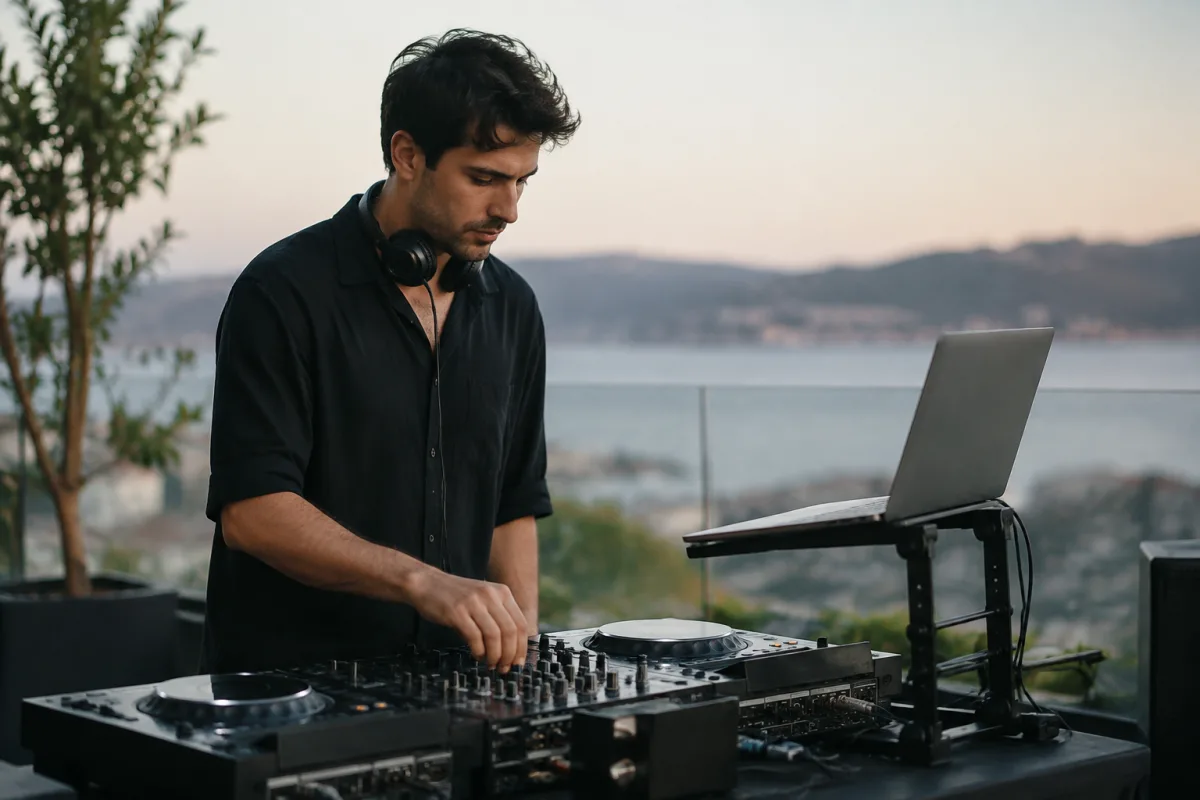
Professional DJs face a fundamental challenge: managing laptop computers alongside traditional turntables and DJ controllers whilst maintaining ergonomic positioning and performing reliably under pressure. A quality DJ laptop stand solves this problem by providing stable, adjustable mounting designed specifically for performance environments. Whether you're playing clubs, festivals, or private events, understanding which stands offer reliable support, proper visibility angles, and practical cable management helps you perform confidently without equipment instability compromising your sets.
Why DJ Laptop Stands Matter
Laptop computing transformed DJ performance, enabling vast music libraries, sophisticated mixing software, and real-time digital processing that vinyl and mechanical equipment cannot match. However, integrating computers into live setups created new challenges: screens reflecting stage lighting, keyboards positioned awkwardly, cable management complexity, and the risk of equipment damage if computers fall during performance.
A dedicated DJ laptop stand addresses these issues by elevating screens to comfortable viewing angles, securing computers against accidental displacement, managing cable routing, and positioning keyboards within reach. Professional DJs consider quality stands essential infrastructure rather than optional accessories.
Essential Features of Professional DJ Laptop Stands
Not all laptop stands suit DJ environments. Professional DJ equipment requires different characteristics than office or home studio solutions:
| Feature | Why It Matters | Professional Standard |
|---|---|---|
| Stability and construction | Prevents laptop displacement during performance | Heavy-duty materials, wide base footprint |
| Height adjustment | Positions screen at comfortable viewing angle | Variable height from 12–36 inches typically |
| Angle adjustment | Reduces screen glare and improves ergonomics | Tilt capability from -15° to +45° |
| Cable management | Organises audio and power cables | Built-in cable trays or clips |
| Portability | Enables transport between venues | Lightweight, compact foldability |
| Compatibility | Works with various laptop and equipment sizes | Adjustable mounting, universal fit options |
Types of DJ Laptop Stand Solutions
Dedicated DJ stands mount directly on turntable decks or DJ controller cases, positioning laptops above traditional equipment. This approach saves desk space and creates integrated visual presentation but requires stands specifically compatible with your hardware.
Standalone mixer stands support both DJ controllers and laptops simultaneously, often including shelving for additional equipment. These all-in-one solutions work well when entire setups are portable and must travel together.
Adjustable tripod stands offer portability and flexibility, though they generally provide less stability than dedicated DJ equipment. These appeal to DJs playing multiple venues and requiring quick setup.
Bolted flight case solutions provide maximum stability and professional presentation, typically used by touring DJs and production crews. These rugged systems integrate computers within flight cases, protecting equipment during transport whilst maintaining secure performance positioning.
Popular DJ Laptop Stand Brands and Models
Pioneer DJ and Numark produce stands engineered specifically for their controller systems, ensuring perfect compatibility and ergonomic integration. Odyssey Gear manufactures flight case solutions popular with professional touring DJs. Generic stands from companies like Apex and Quik Lok offer affordable alternatives with variable compatibility.
Professional DJs often prefer manufacturer-specific stands because they integrate seamlessly with controller layouts and accommodate particular equipment configurations. Budget shoppers sometimes find generic solutions adequate, though they sacrifice optimal ergonomics and system integration.
Ergonomic Considerations for Long Performances
DJs frequently perform extended sets—two, three, or even four-hour performances—requiring ergonomic positioning minimising physical strain. Screen height should position eyes slightly downward from horizontal, reducing neck strain. Keyboard or trackpad positioning should keep wrists neutral rather than dramatically elevated or depressed.
Quality stands adjust both height and angle, allowing customisation to individual body proportions. Testing stands during equipment searches ensures comfort during extended performances before purchasing.
Cable Management and Integration with Controllers
Professional setups often involve laptops connected to controllers, audio interfaces, lighting systems, and mixing equipment. Dedicated DJ laptop stands manage these cables through integrated clips, trays, and routing channels rather than loose cables creating hazards or visual clutter.
Built-in power cable management prevents accidental disconnection during performances. Proper routing keeps audio cables away from power sources, reducing electromagnetic interference affecting sound quality.
Portability and Travel Considerations
DJs playing multiple venues require equipment travelling smoothly between locations. Lightweight stands that fold compactly fit standard vehicle space and reduce transport weight. Flight case solutions sacrifice portability for ultimate protection and professional appearance.
Conclusion
A quality DJ laptop stand enables confident performance by providing stable computer positioning, optimal visibility angles, and organised cable management. Invest in stands engineered for DJ environments rather than generic computer solutions, consider your actual setup configuration and portability requirements, and test equipment before committing to purchase. Professional DJ stands cost £100–£400 depending on durability and features; this investment returns value through improved performance reliability and reduced repetitive strain during extended sets. Build your setup around quality stands that secure your equipment properly, and you'll perform with confidence regardless of venue conditions.


Comments