


Pioneer 2 Channel Mixer article
The Complete Guide to Pioneer 2 Channel Mixer
Pioneer 2 channel mixers are the industry standard for DJ mixing. Explore what they do, key features, recommended models, and essential techniques for aspiring and professional DJs.
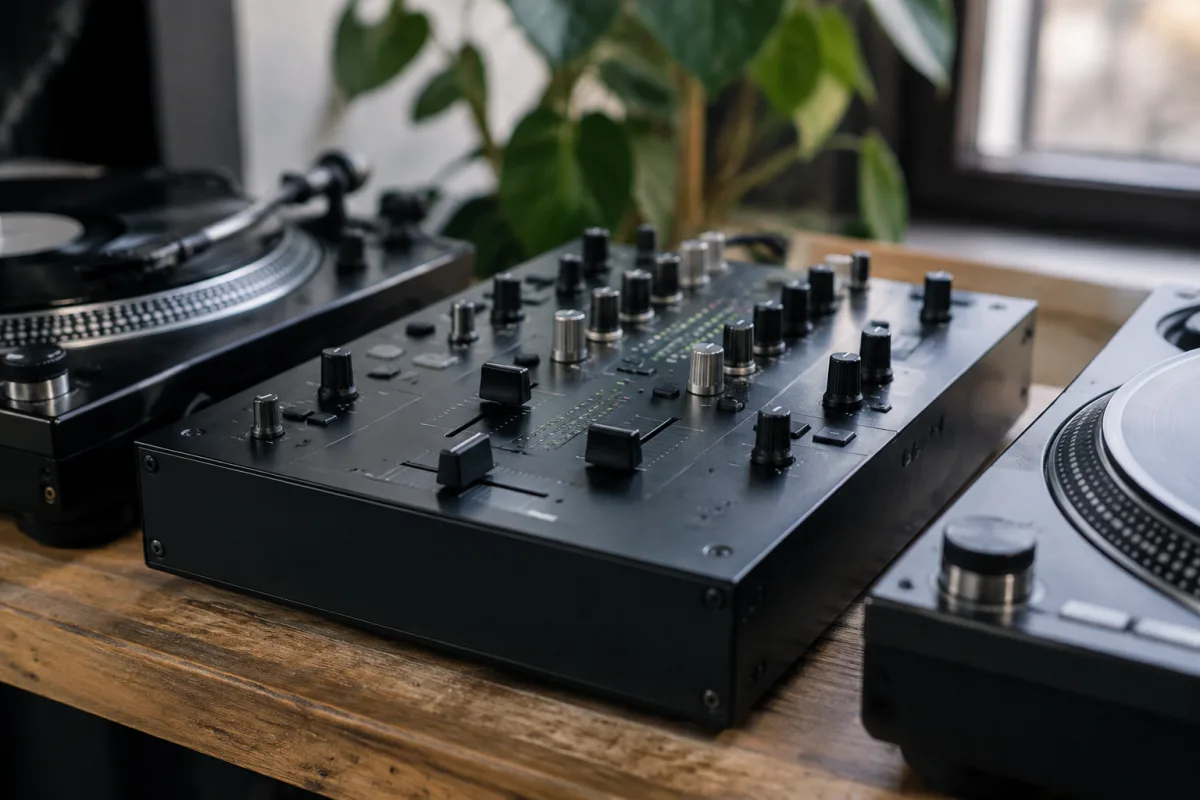
Pioneer 2 channel mixers represent the entry point into DJ mixing for countless aspiring turntablists and electronic musicians. This Japanese manufacturer's commitment to quality, reliability, and intuitive design has established Pioneer as the industry standard for DJ equipment worldwide. A Pioneer 2 channel mixer connects two audio sources — typically turntables or media players — enabling you to blend, scratch, and transition between tracks with professional results. Whether you're just beginning your DJ journey or seeking an affordable, dependable mixer to complement portable equipment setups, understanding what distinguishes Pioneer 2 channel mixers and selecting the right model transforms your mixing possibilities and positions you for long-term success in electronic music.
What a Pioneer 2 Channel Mixer Does
A Pioneer 2 channel mixer accepts audio input from two separate sources, processes that audio, and outputs a combined signal to speakers or a master amplifier. The mixer's core function involves balancing volume levels from both channels, equipping each with independent tone controls, and allowing smooth crossfading between sources. This simplicity belies the creative possibilities — proper mixing technique transforms these basic functions into sophisticated musical performance.
The crossfader — a crucial Pioneer 2 channel mixer component — allows gradual blending from one channel to the other. Skilled DJs use the crossfader to create seamless transitions, cutting between tracks on rhythm, introducing drops at precisely the right moment, and creating the sense of continuous musical flow that defines professional DJing.
Channel faders on a Pioneer 2 channel mixer control individual channel volume independently of the crossfader. This dual control system enables complex mixing scenarios: you might set one fader high (bringing in the next track) whilst using the crossfader to bring in effects or isolated elements before the main transition.
Pioneer 2 Channel Mixer Models and Specifications
Pioneer offers several 2-channel mixer options targeting different budgets and feature sets. The DJM-250Mk2 represents an excellent entry-level option, providing essential mixing features, built-in effects, and Pioneer's signature reliability at accessible pricing. This mixer suits beginners learning fundamental mixing techniques without overwhelming complexity.
The DJM-450 introduces more sophisticated features: advanced effects, higher-quality audio components, and enhanced mixing capabilities. This Pioneer 2 channel mixer suits intermediate DJs seeking expanded creative possibilities and improved tonal clarity.
Professional 2-channel models like the DJM-900NXS2 deliver club-grade performance with premium sound quality, extensive effects library, and sophisticated routing options. These high-end Pioneer 2 channel mixers serve working professionals earning income through mixing and performance.
Key Features of Pioneer 2 Channel Mixers
Channel faders on Pioneer 2 channel mixers provide smooth, reliable volume control. Most models employ motorised faders offering tactile feedback and precise control. High-quality faders remain responsive for years of mixing without degradation.
The crossfader represents a critical mixing tool. Pioneer 2 channel mixers feature crossfaders optimised for scratching and smooth transitions. Channel-assigned buttons allow switching which channel the crossfader affects, enabling creative mixing scenarios impossible with fixed crossfader routing.
Equalisation controls on each channel allow independent tone shaping. Pioneer 2 channel mixers typically offer three-band EQ: bass, mid-range, and treble adjustments. These enable subtle tone-matching during transitions and dramatic filtering for creative effect.
Built-in effects transform a Pioneer 2 channel mixer from simple mixing tool into creative instrument. Effects like reverb, delay, echo, and filters enable dynamic, expressive mixing impossible with un-effects-equipped designs. Most models allow assigning effects to specific channels for controlled deployment.
Building Your DJ Setup Around a Pioneer 2 Channel Mixer
A basic DJ setup pairs a Pioneer 2 channel mixer with two turntables, a media player, or a combination thereof. The mixer's two channels accept these audio sources independently. Many modern DJs use a Technics turntable on one channel and a media player (often an iPad or laptop) on the other, blending vinyl authenticity with digital convenience.
Controller-based setups use a Pioneer 2 channel mixer as the audio interface and control hub. Controllers like the DDJ-400 integrate seamlessly with Pioneer 2 channel mixers, allowing simultaneous hardware and software integration. This hybrid approach appeals to contemporary DJs balancing hardware tactility with digital flexibility.
Most Pioneer 2 channel mixers require external amplification to power speakers. Passive powered speakers with built-in amplifiers are most affordable and convenient. Alternatively, you can connect the mixer to a separate power amplifier driving passive studio monitors.
Audio Quality of Pioneer 2 Channel Mixers
Pioneer's reputation for audio quality stems from careful component selection and signal path design. Even entry-level Pioneer 2 channel mixers employ decent preamps and output stages delivering clean audio without colouration or noise. The mixer's components remain crucial determinants of overall sound quality.
Frequency response on Pioneer 2 channel mixers spans the full audio spectrum, ensuring no musical information is lost during mixing. The mixer's noise floor remains low, preventing audible hiss or interference. Professional-grade models exhibit even better specifications, but entry-level options deliver perfectly adequate performance for most DJs.
Headphone monitoring on Pioneer 2 channel mixers enables cue functionality crucial for professional DJing. You can monitor the incoming track on headphones whilst the audience hears the current track, allowing beatmatching and preparation before transitioning on the main speakers.
Learning to Mix on a Pioneer 2 Channel Mixer
Beatmatching — matching the tempo of incoming and outgoing tracks — remains the fundamental skill. Your Pioneer 2 channel mixer's tempo display and headphone monitoring enable precise beatmatching. Practice matching beats until the transition feels seamless, then move on to creative mixing techniques.
Crossfader techniques separate amateurs from professionals. Learning basic fading, scratching variations, and creative crossfading transforms your mixing from functional to expressive. Online tutorials and practice sessions develop crossfader muscle memory.
Effects-based mixing adds dimension to your sets. Subtly applying reverb, delay, or filtering to the incoming track, then dropping the effect at precisely the right moment, creates dramatic musical moments that engage audiences.
Pioneer 2 Channel Mixer Pricing and Value
Entry-level Pioneer 2 channel mixers start around £200–300, offering excellent value for quality equipment. Mid-range options cost £400–700, introducing enhanced features and improved audio quality. Professional models exceed £1000, delivering premium components and expanded creative capabilities.
The investment in a quality Pioneer 2 channel mixer is worthwhile if you're serious about DJing. These mixers retain value well in the used market, making them sound long-term purchases. A well-maintained Pioneer mixer continues serving DJs for decades without degradation.
Maintenance and Longevity
Pioneer 2 channel mixers require minimal maintenance. Occasional cleaning of faders and crossfader prevents dust accumulation and maintains smooth operation. Keeping the mixer away from excessive heat and moisture protects electronics.
Professional repair services remain available for component failures, though quality Pioneer 2 channel mixers rarely experience problems. The robust construction and quality components ensure reliable performance through years of regular use.
Pioneer 2 Channel Mixer Setup Essentials
Connect audio sources to the mixer's input channels using appropriate cables — RCA for turntables and media players, XLR for professional audio equipment. Set input levels conservatively to avoid clipping. Connect the master output to your amplification and speakers.
Assign the appropriate input type (phono for turntables, line for media players) on each channel. The mixer automatically applies appropriate preamp gain. Crossfader assignment determines which channels the crossfader affects.
Headphone output should connect to your headphone amplifier or headphones directly. Most Pioneer 2 channel mixers include headphone monitoring allowing cueing. Adjust headphone volume carefully to protect hearing.
Your Pioneer 2 Channel Mixer Adventure
Whether you're just beginning your DJ journey or seeking a reliable, affordable mixer for portable setups, a Pioneer 2 channel mixer delivers professional-grade mixing capabilities at accessible pricing. Invest in learning proper technique, experiment creatively, and let your mixer become the tool through which you express your musical vision. The satisfaction of a smooth transition, the energy of a crowd responding to your mixing, and the creative possibilities Pioneer 2 channel mixers enable make this investment worthwhile for any aspiring DJ.



Comments