


Roland Beat Machine article
Roland Beat Machine for Beginners: A Complete Guide
Within an hour of unboxing, create professional-sounding drum patterns. A Roland beat machine teaches rhythm and musicality faster than any other starting point.
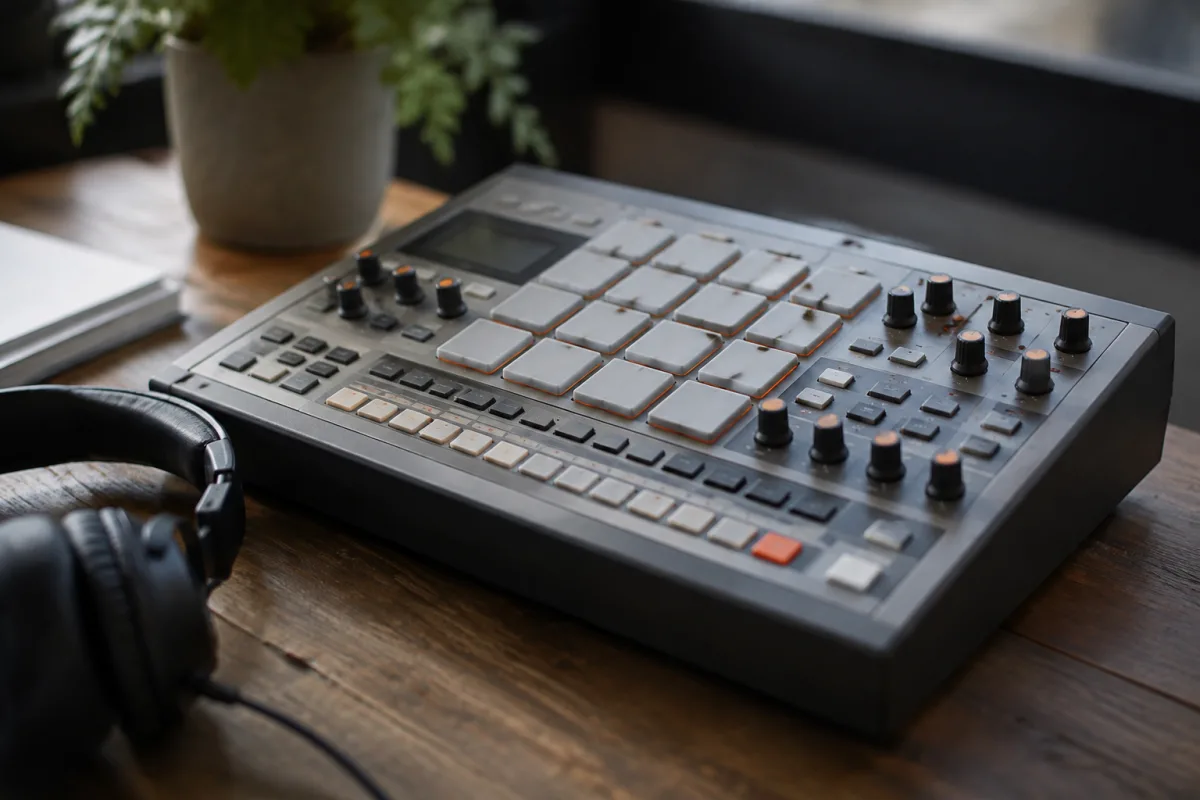
Roland Beat Machine for Beginners: Creating Your First Rhythm
You've heard of drum machines but assumed they were for professionals in studios with soundproof walls and expensive gear. A Roland beat machine shocks many beginners with how accessible and fun it is. Within an hour of unboxing, you can programme drums, create loops, and produce something that sounds finished. This guide strips away the confusion and shows you exactly how to start.
What Is a Roland Beat Machine?
A Roland beat machine (or drum machine) is a dedicated electronic instrument for creating rhythms and drum patterns. Unlike a sequencer that requires a computer, or a full music production workstation, a beat machine is focused on one thing: drums. It comes with preset sounds—kicks, snares, hi-hats, percussion—and lets you programme when each plays to create patterns and songs.
Roland's machines are legendary. Models like the TR-808 and TR-909 defined decades of electronic music. Modern Roland beat machines honour that legacy but simplify the interface for beginners. You get powerful sound-making instantly, without needing a degree in synthesis.
Why start with a dedicated beat machine instead of software? Touch and tactile control. Hitting pads to trigger sounds, turning knobs to adjust tempo, and watching LED sequencers light up as your pattern plays—this immediate feedback teaches rhythm fast. Software can do the same, but the physicality of hardware sticks in your muscle memory.
Essential Controls and What They Do
Tempo dial: Controls how fast your rhythm plays. Measured in BPM (beats per minute). Pop music typically sits at 120 BPM; hip-hop ranges 85–95 BPM; house music lives at 120–130 BPM. Most beat machines offer 40–300 BPM range. Start at 120 (a comfortable pace) and adjust by ear.
Sequencer lights and buttons: These show where you are in your pattern and let you programme when drums play. Typically 16 steps (pads or buttons). Press a pad once to turn a sound on for that step; press again to turn it off. This is intuitive and requires no learning curve.
Drum pads or buttons: Trigger sounds when you press them. Hi-hat, snare, kick drum, percussion—each has its own pad. Some machines let you adjust pitch or tone for each sound. Experiment freely; nothing you do breaks anything.
Tempo sync: Many Roland machines sync with external equipment via MIDI or clock signal. As a beginner, ignore this for now. Focus on internal tempo and learning rhythm patterns first.
Pattern save and load: Once you create a rhythm you like, save it to memory. Most machines hold 100+ patterns. You'll build a library naturally over weeks.
Your First Session: Creating a Simple Beat
Here's a real workflow for your first hour:
- Power on. Set tempo to 120 BPM using the tempo dial.
- Start with the kick drum. Press the sequencer start button. Watch the LED step lights. On the first beat and every downbeat after, press the kick pad to trigger a drum sound. Press that step button once to mark it.
- Add snare. Typically on beats 2 and 4 (the "backbeat"). Use the snare pad and sequencer to place those sounds.
- Add hi-hats. On every eighth note (every other step) for a basic rhythm. Eight hi-hats per four-beat bar. Start simple; add complexity later.
- Save your pattern. Press "Save" and give it a name. You've now created your first drum pattern—genuinely usable in a song.
- Play around. Tweak the kick pattern, change the hi-hat timing, add a cymbal crash at the end. Hear how small changes transform the feel.
By step 5, you've created something that sounds professional. That confidence is the whole point. You're not learning theory first; you're making music and learning rhythm naturally.
The Secret Joy of Beat Programming
Beginning musicians often assume drums are "just rhythm"—a boring foundation. A beat machine shows the opposite. Drums are everything. The space between snare hits, the ghost notes, the swing, the way a kick drum sits with the hi-hats—these are compositional choices. Programming drums teaches musicianship faster than any other instrument.
Roland beat machines teach this beautifully because they sound great out of the box. Professional producers use these same machines because the sounds are that good. You're not using a toy; you're using a professional tool that happens to be accessible.
Common Beginner Mistakes
New beat programmers make predictable stumbles:
- Making everything too busy. Beginners cram sounds into every step, making rhythms that sound cluttered. Restraint is musical. A kick, snare, and sparse hi-hats often sounds better than a full array of sounds firing constantly.
- Ignoring swing and timing. Most beat machines have swing controls—a subtle timing shift that makes patterns feel human rather than robotic. Experiment with light swing (5–10%) to hear how it loosens the rhythm.
- Forgetting variation.** A pattern that repeats identically for two minutes feels static. After eight or sixteen beats, introduce a variation—a crash cymbal, a missing kick on beat 3, a snare flam. Small variations keep interest alive.
- Not saving your work.** You'll create a great pattern and forget it next session. Save regularly. Build a library of patterns; later you'll layer them and create longer compositions.
- Assuming tempo is fixed.** Tempo determines the entire feel. Change it and the same pattern feels completely different. A pattern at 90 BPM sounds like hip-hop; at 140 BPM it's house. Learn to adjust tempo and hear the transformation.
Taking Your Beat Machine Further
After a month of programming simple patterns, you'll want:
- External trigger pads. Some machines let you connect external pads for finger drumming (playing live rhythms by striking pads). This adds performance element to programming.
- Audio output to an amplifier. Most machines ship with tiny built-in speakers. Proper speakers or an amplifier reveal the depth and power of the sounds beautifully.
- MIDI connectivity to synthesizers or DAW. A beat machine can trigger external sounds via MIDI. That's when the real compositional possibilities open.
None of these upgrades are necessary to start. Learn rhythm first with what the machine provides.
Why This Matters
A beat machine teaches rhythm as a fundamental musical language. You're not playing an instrument; you're composing. Every sound placement is a choice. Over time, you develop taste, restraint, and musicality. When you eventually play an instrument or produce music on computer, that drum knowledge transfers immediately.
Roland machines are built for this learning. They sound professional, they're intuitive, and they encourage exploration. Buy one, spend an hour, and you'll understand why beat machines endure after 40 years of electronic music evolution.


Comments