


Reloop article
Reloop for Beginners: A Complete Guide
Overwhelmed by DJ equipment? Our beginner's guide shows you how Reloop makes it easy to start learning, avoiding common mistakes and building real skills from day one.
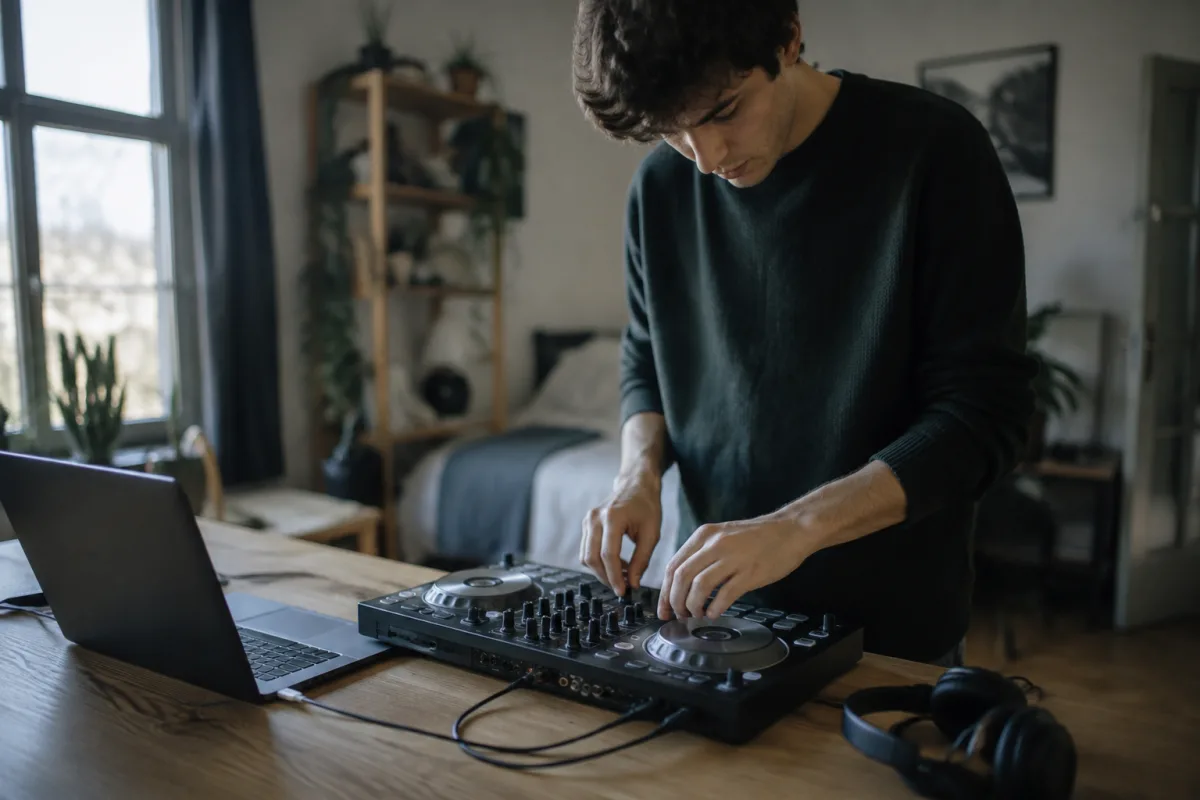
Starting your DJ journey can feel intimidating, especially when equipment terminology feels like a foreign language. If you've been drawn to electronic music production or want to learn DJing but feel overwhelmed by options and complexity, Reloop offers an excellent entry point. This beginner's guide strips away the intimidation factor and walks you through getting started with Reloop equipment, showing you that learning to DJ is more achievable than you might think.
Why Reloop is Perfect for Beginners
Reloop specialises in affordable, beginner-friendly DJ equipment that doesn't sacrifice quality for price. Unlike premium brands that cost thousands, Reloop controllers and mixers provide professional functionality without breaking your budget. This accessibility means you can start learning immediately without investing life-changing amounts of money. The community surrounding Reloop is welcoming and supportive, with abundant YouTube tutorials and online forums ready to help newcomers take their first steps.
Many successful DJs started on Reloop equipment before upgrading to higher-end gear. This progression path is entirely normal and expected. You're not compromising by choosing Reloop; you're making a smart financial decision that lets you learn before committing more resources.
Starting Simple: Your First Reloop Controller
Your first Reloop purchase should be a compact controller—not a full DJ booth setup. Controllers like the Reloop Ready, Reloop Elite, or Reloop Beatpad 2 combine turntables, mixer, and effects in one device designed specifically for beginners. These entry-level models eliminate the overwhelming complexity of professional setups whilst teaching you the fundamental skills you need.
A beginner controller includes everything required for learning: two virtual turntables (decks), a crossfader to blend between tracks, EQ controls, and basic effects. Most importantly, controllers under £200 teach identical techniques to professional equipment costing ten times more. You'll spend the first months mastering beat-matching and basic mixing—skills the expensive stuff won't make easier to learn.
Essential Setup: Software and Connection
Your Reloop controller connects to a computer via USB, transforming any laptop into a DJ station. You'll need DJ software (called a "DAW" or digital audio workstation)—many are free or affordable for beginners. Serato, Rekordbox, and Virtual DJ offer beginner-friendly versions that work seamlessly with Reloop controllers. Install the software, connect your controller, and you're ready to learn.
Invest in a basic audio interface or headphone amplifier (often included with Reloop bundles) so you can hear both your monitoring headphones and the main output simultaneously. Most beginners make the mistake of skipping decent headphones; this is your first accessory investment beyond the controller. Quality monitoring headphones under £80 dramatically improve your learning pace and ear training.
Your First Week: Don't Panic
Expect confusion during your first week. You'll press buttons and produce harsh sounds. The crossfader will feel unresponsive. EQ knobs won't do what you expect. This is completely normal, happens to every beginner, and resolves within days once you develop familiarity. The learning curve is steeper than you fear but shorter than you expect.
Start with YouTube tutorials specifically about your Reloop model. Most feature simple exercises: load two songs, match their tempos, and blend between them using the crossfader. These basics take surprisingly little time to grasp once you see them demonstrated. Reloop's official channel and community channels provide excellent free training you can reference anytime.
Common Beginner Mistakes to Avoid
The most frequent beginner error is attempting too much too quickly. Learners want to add effects, loop sections, and use advanced features before mastering basic mixing. Resist this urge. Spend your first month learning to match beats, blend songs smoothly, and handle the crossfader with finesse. These fundamentals take you further than ten effects you don't yet understand.
Another common mistake is poor cable management and workspace setup. Invest in a small desk (even an IKEA folding table works) and cable ties. A organised, ergonomic workspace accelerates learning because you're not frustrated by tangled cables and poor visibility. Spending an hour organising your setup pays dividends immediately.
Many beginners also underestimate the importance of listening actively to music outside practice sessions. Train your ear by listening critically to professional DJs' mixes. Notice beat-matching precision, EQ choices, timing of effects. This listening awareness transfers directly to your own mixing within days. It costs nothing but your attention and dramatically improves results.
Building Your Music Library
You need music to practise with. Stream directly from Spotify or Apple Music using compatible software (check compatibility before purchasing), or build a local library of MP3 files. Start with sixty to one hundred songs in similar genres—perhaps all house, all techno, or all hip-hop. Mixing songs with dramatic tempo or style differences frustrates beginners; similar material teaches mixing quickly.
Legal considerations matter from day one. If you plan eventual public performances, understand copyright and licensing. Starting with streamed music from your bedroom eliminates these concerns—focus on learning first, and legalities follow naturally once you progress.
Timeline Expectations: Real Progress
Your first two weeks should involve basic beat-matching and crossfader technique. By week four, smooth transitions between songs feel natural. Within two months, you're mixing entire sets and experimenting with basic effects confidently. Professional-level skills take longer, but reaching "genuinely good" takes surprisingly few hours—typically 50-100 hours of focused practice.
This timeline varies individually, but the pattern holds: rapid initial progress, then gradual refinement. Celebrate small wins. When you nail your first perfect beat-matched transition, you've accomplished something real. The satisfaction accelerates your motivation to practise more.
Investment Progression: Beyond Your First Controller
After six months learning on an entry-level Reloop controller, you'll understand whether DJing genuinely excites you or was a passing curiosity. This knowledge is worth far more than any amount of money saved. If you're hooked, upgrading to more sophisticated Reloop equipment or premium brands makes sense. If you've discovered it's not for you, you've learned this affordably.
Many beginner DJs never upgrade—they're perfectly content mixing on entry-level equipment for years, playing house parties and small venues. Others progress to professional setups. Either path is completely valid. Reloop's strength lies in removing the financial barrier to discovering which path suits you.
Community and Continuous Learning
Join online Reloop communities, watch beginner DJ channels on YouTube, and consider finding a local DJ mentor if possible. Many experienced DJs remember their beginner confusion and enjoy helping newcomers. The DJ community is generally welcoming to learners who demonstrate genuine enthusiasm and willingness to practice.
For deeper exploration of Reloop equipment and broader DJ concepts, consult our complete guide to Reloop. But you've now got everything you need to start learning today. Get your Reloop controller connected, load some music, and begin your DJ journey. The learning curve is real but remarkably rewarding—and you're more capable than you currently believe.


Comments