
Drumming Pad article
The Complete Guide to Drumming Pad
A drumming pad transforms beat-making with velocity-sensitive triggers that replace mouse clicks with tactile, expressive control. Perfect for producers and electronic musicians.
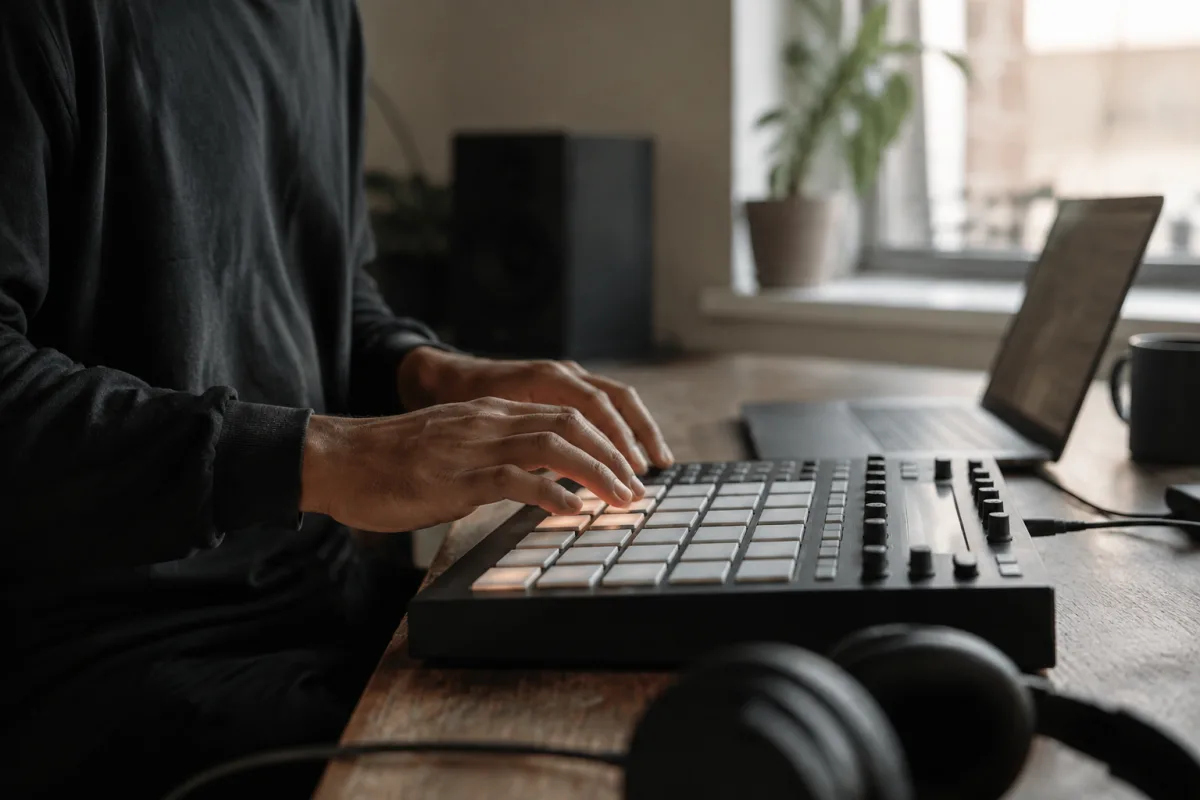
A drumming pad transforms how producers and performers interact with rhythm and beat-making. These responsive, velocity-sensitive interfaces let you trigger drum sounds, samples and effects with finger taps and creative strikes, replacing or complementing traditional drum machines and sequencers. Whether you're producing electronic music, performing live beats or layering percussion elements into your production workflow, a quality drumming pad opens creative possibilities limited only by your imagination.
Understanding the Drumming Pad Concept
A drumming pad is essentially a controller surface divided into pressure-sensitive grid sections, typically arranged in 4×4, 4×8 or other configurations. When you strike a pad section, it sends a MIDI message to your DAW or synthesiser, triggering the sound you've assigned to that location. Each pad can control virtually any audio element — drum sounds, melodic samples, effects parameters or automation. This tactile, immediate response makes a drumming pad feel more musical and intuitive than programming beats entirely with a mouse and keyboard.
Most modern drumming pad controllers connect via USB or Bluetooth to computers and iOS devices. Professional productions and live performances increasingly incorporate a drumming pad to add improvisation, spontaneity and human feel to otherwise quantised electronic music.
Types and Configurations of Drumming Pads
Standalone Drum Machines with Pads
A drum machine with integrated drumming pads offers independence from computers. These self-contained units include sound engines, sequencers and onboard processing alongside their drumming pad interface. Perfect for producers who work entirely in the studio or performers needing totally portable setups, a drum machine drumming pad combines all your beat-making tools in one instrument.
Desktop Drumming Pad Controllers
Desktop models of drumming pad controllers connect to your computer via USB, relying on software instruments and DAW capabilities to generate sounds. A desktop drumming pad controller typically features eight to 16 pads arranged in a compact layout. These affordable options work brilliantly for producers whose primary work happens in their DAW.
Performance Drumming Pad Systems
Larger, more sophisticated drumming pad systems feature 16 or more velocity-sensitive pads alongside knobs, sliders and buttons for real-time parameter control. A professional performance drumming pad system suits live electronic musicians and touring DJs who need immediate, intuitive control over complex sound arrangements during shows.
Pad-and-Sampler Combinations
Some manufacturers combine a drumming pad with integrated samplers, allowing you to import audio directly into your drumming pad rather than relying entirely on preset drum sounds. A drumming pad with sampling capability offers tremendous flexibility for producers seeking to incorporate organic sounds into beat-making.
Key Features to Evaluate in a Drumming Pad
Pad Sensitivity and Response
Velocity sensitivity determines how accurately your drumming pad responds to how hard you strike each pad. Professional-grade drumming pad controllers track velocity across the entire range, allowing subtle dynamic control. Budget drumming pad options sometimes feel less responsive, requiring harder strikes or exhibiting less nuanced velocity tracking.
Pad Layout and Size
A 4×4 pad grid (16 pads) is standard for compact drumming pad controllers. Larger 4×8 configurations offer more options but require more workspace. Consider both the drumming pad size and your working environment — mobile producers benefit from compact options; studio musicians often prefer larger, more spacious pad arrays.
Build Quality and Durability
Professional drumming pad controllers withstand vigorous playing, repeated striking and touring wear. Premium materials and construction on your drumming pad investment ensure years of reliable use. Budget models sometimes flex excessively under striking force or develop unresponsive pads after months of heavy use.
Connectivity and Integration
Your drumming pad should connect seamlessly to your DAW, sampler or instrument. MIDI over USB is standard; wireless connectivity via Bluetooth offers freedom from cables. Check whether your drumming pad integrates well with software you already use — some controllers offer native integrations with specific DAWs or instruments, whilst others work with any MIDI-compatible software.
Additional Controls
Many drumming pad controllers include knobs, sliders and buttons for parameter control alongside the pad grid. These additional controls on your drumming pad allow real-time adjustment of effects, filter cutoff and other elements during performances or recordings, adding responsiveness impossible with pad strikes alone.
Applications for Drumming Pads
Electronic Music Production
Producers use a drumming pad to experiment with drum patterns, layer samples and trigger sound effects during sessions. The immediate feedback makes beat-making feel more organic and intuitive than using a traditional step sequencer alone. A drumming pad accelerates creative workflow and helps songwriting feel less mechanical.
Live Performance
Electronic musicians and DJs rely on drumming pad controllers to trigger samples, cue transitions and manipulate sounds during live sets. The tactile control makes performances more visually engaging for audiences and gives performers intuitive command over their sound in real time.
Film Scoring and Sound Design
Composers use drumming pad controllers to trigger percussion samples, build layered soundscapes and design complex effects arrangements. A drumming pad offers immediate access to countless sounds without requiring complex menu navigation during creative sessions.
Acoustic Drum Enhancement
Acoustic drummers increasingly use drumming pad controllers to trigger electronic samples alongside acoustic playing. A drumming pad lets drummers add digital percussion, effects and loops to their live kit sound, bridging acoustic and electronic worlds.
Choosing Your First Drumming Pad
Budget conscious producers should consider entry-level drumming pad controllers (£40–100) featuring 16 pads and basic USB connectivity. These offer excellent learning platforms and handle most production tasks admirably. Mid-range drumming pad options (£100–300) add superior pad sensitivity, build quality and additional controls. Professional-grade drumming pad systems (£300+) deliver the response and durability that touring musicians and demanding producers expect.
Test a drumming pad in person if possible. Tap each pad and notice how it feels — the responsiveness, resistance and rebound vary significantly between models. A drumming pad should feel inspiring to play; if striking the pads feels awkward or unresponsive, you'll avoid using it during creative sessions.
Maximising Your Drumming Pad Workflow
Spend time learning your drumming pad thoroughly. Map sounds logically across the pad grid — grouping related drum elements logically makes playing intuitive. Experiment with finger techniques; different striking angles and finger areas produce different velocity values on your drumming pad, expanding expressive possibilities. Many accomplished producers treat a drumming pad less as a controller and more as a musical instrument, developing signature playing styles and techniques.
The Bottom Line
A drumming pad revolutionises beat-making by replacing mouse clicks and quantised step sequencing with tactile, immediate control. Whether you're launching your first electronic production or performing before thousands of listeners, a quality drumming pad unlocks creative possibilities and adds human expressiveness to your music. Invest in a drumming pad suited to your budget and workflow, explore its capabilities thoroughly, and watch your rhythmic creativity flourish.


Comments