


DJ Controller Stand article
Dj Controller Stand for Beginners: A Complete Guide
A DJ controller stand might seem optional, but it's essential for comfort and proper technique. This beginner's guide covers why stands matter and which one suits your needs.
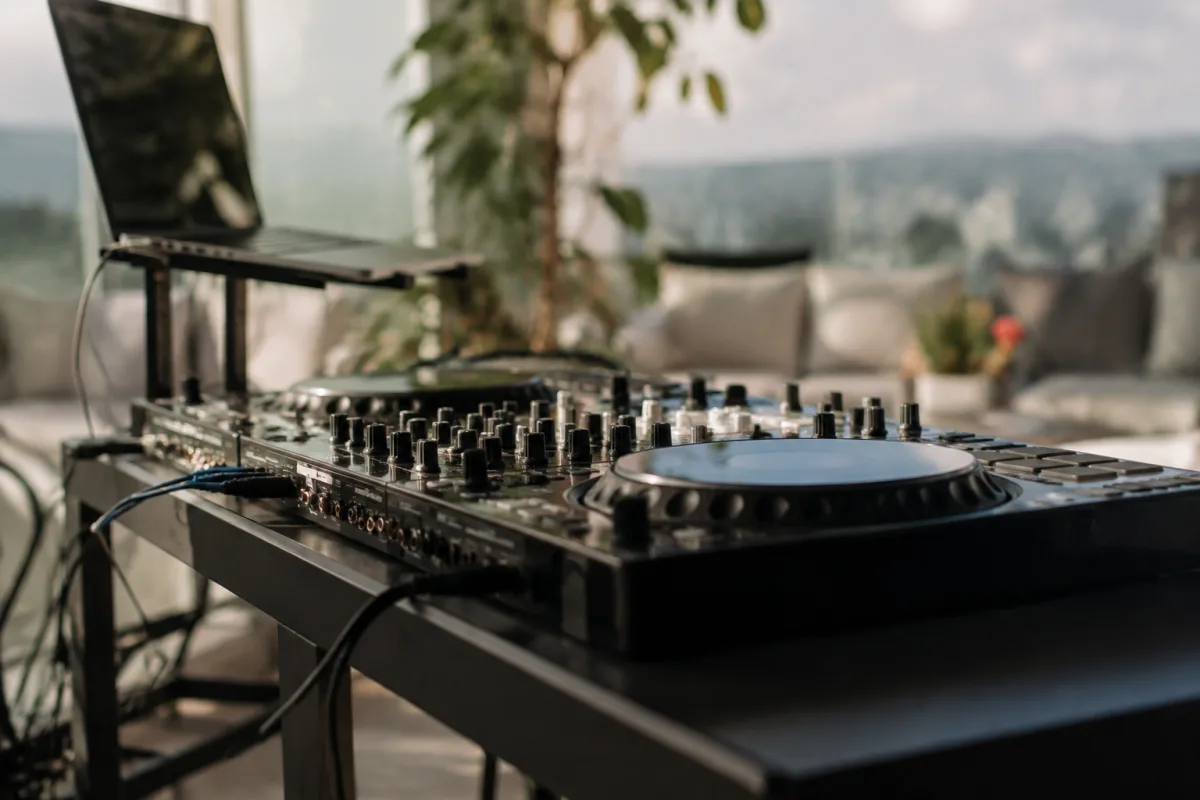
If you're starting to DJ or produce electronic music, you might think a DJ controller stand is optional—just plonk the controller on a table and go. But spend two hours bent over a DJ controller on a desk, and your shoulders, neck and wrists will remind you why stands matter. A proper DJ controller stand elevates your equipment to an ergonomic height, improves workflow, and makes DJing genuinely comfortable. For a beginner, a stand transforms practice from physically uncomfortable to genuinely enjoyable. This guide explains what a DJ stand does, why it matters for your health and productivity, and how to choose the right one without overspending.
Why a DJ Controller Stand Matters for Beginners
You can technically DJ without a stand. Just put your controller on any table. But here's what happens:
- Bad posture: Sitting down, reaching forward to touch the controller on a low desk forces your shoulders up and your neck forward. After 20 minutes, you feel it. After an hour, your back hurts.
- Less control: Reaching or slouching throws off your hand positioning. Scratching, beat-matching and precise control all suffer when you're not comfortable.
- Faster fatigue: Muscle tension makes practice exhausting. You quit earlier than you should, limiting your learning.
- Safety risk: An unstable table or wobbly setup can tip your equipment. A proper stand keeps your controller secure.
A stand costs £50–300 depending on quality. Compare that to years of back pain or equipment damage. It's worth it.
The Basics: What a DJ Controller Stand Does
A DJ stand is essentially a metal frame that:
- Holds your DJ controller at a comfortable height (usually waist-height when seated).
- Positions the controller at a slight angle so you see the display and reach the controls naturally.
- Keeps the controller stable and secure so it won't tip or shift.
- Often includes space for a laptop, monitor or other gear underneath or beside the controller.
- May fold or adjust for portability, depending on the model.
That's it. A stand is fundamentally simple. The difference is in build quality and ergonomics.
Key Specs to Look For
When evaluating a DJ controller stand, focus on these:
- Height adjustability: Can you raise or lower the stand? Adjustable stands are more versatile. Fixed-height stands are cheaper but only work if the height matches your setup.
- Stability: Does the stand feel rock-solid when you touch the controller, or does it wobble? Wobble is a dealbreaker. Check user reviews for stability on that specific model.
- Controller compatibility: Will your specific controller fit? Some stands are universal; others are designed for specific controllers. Confirm before buying.
- Cable management: Does it have clips or channels to manage cables? Good cable management keeps your setup tidy and prevents tripping hazards.
- Portability: Does it fold or disassemble easily? If you DJ at venues or events, portability matters. If it stays at home, less critical.
- Build quality: Is it metal or plastic? Metal stands are heavier but more stable. Plastic is lighter but wobblier. Mid-range models balance both.
Price Tiers and What You Get
DJ stands range widely:
- £30–60 (budget): Lightweight, portable, plastic or thin metal construction. Works, but wobbles under vigorous use. Fine for casual practice but not ideal.
- £60–150 (mid-range): Solid metal construction, adjustable height, good stability. Best value for most beginners. Suitable for serious bedroom practice and occasional events.
- £150–300 (professional): Heavy-duty construction, excellent stability, cable management, portability. Designed for touring DJs and studios. Probably overkill for beginners but will last years.
For a beginner, mid-range (£60–150) represents the sweet spot. You're getting genuine quality and comfort without paying professional prices.
Common Beginner Mistakes With DJ Stands
Learn from others:
- Buying a stand that's too small or too large for your controller: Confirm compatibility before buying. A controller hanging off the edge of a stand is unstable and frustrating. Check the dimensions.
- Choosing a stand based on price alone without testing stability: A wobbly stand ruins your DJing experience. Watch YouTube reviews or read user feedback for stability on that model.
- Ignoring cable management: A stand without good cable organization means cables tangling around your hands and feet. This is annoying and dangerous. Look for stands with clips or channels.
- Assuming you don't need a stand because you're "just practising at home": Bad posture when practising becomes your muscle memory. If you plan to DJ seriously, a stand from day one is an investment in healthy technique.
- Not adjusting the stand's angle after setup: Most stands have adjustable tilt or height. Spend 5 minutes getting the angle right for your body and comfort. It makes a real difference.
- Buying a stand that's difficult to fold: If portability matters to you at all, choose a stand that folds easily. A stand you can't fold quickly is annoying and might not make it to venues.
Stand Vs. No Stand: Real Ergonomics
Here's what changes when you use a stand:
- Posture: Upright, shoulders relaxed, wrists neutral. Your body feels good after an hour of practice.
- Control: Your hands stay in the same position relative to the controller. Scratching and precise moves feel more natural.
- Confidence: You move around the controller freely without worrying it'll shift. This is subtle but important psychologically.
- Long-term health: Regular practice on a proper stand prevents repetitive strain injuries. Years of bent-over DJing causes real pain.
These aren't luxury improvements. They're health and safety basics.
Your Buying Checklist
Before you commit to a DJ controller stand:
- Will it fit your specific controller? Check dimensions and controller compatibility.
- Is it adjustable in height? Adjustability is always better.
- Does it feel rock-solid or does it wobble? Check reviews or test it in person.
- Does it have cable management features?
- If you'll move it around, does it fold easily?
- Is the price reasonable for the build quality?
If you tick those boxes, you're ready to buy with confidence.
Setting Up Your Stand Properly
Once you own a stand, spend a few minutes getting the setup right:
- Adjust the height so your controller is at or slightly below waist height when seated.
- Tilt the stand slightly toward you so you see the display clearly.
- Position the stand at arm's distance so you reach the controls naturally.
- Route cables behind or underneath the stand, not across your work area.
- Test the stability by touching the controller firmly—it shouldn't shift.
A few minutes of setup now prevents months of bad posture and discomfort.
Next Steps: Building Your DJ Space
Once your stand is sorted, focus on other ergonomic basics: a comfortable chair, monitor positioning if using a laptop, and proper cable management. For a comprehensive look at DJ equipment stands, advanced setup techniques and studio ergonomics, explore the complete guide to DJ controller stands.
A DJ controller stand is one of the best beginner purchases you can make. It transforms practice from uncomfortable to genuinely enjoyable. Invest in your comfort, and you'll DJ more, learn faster, and protect your health for years to come.



Comments