


All in One DJ System article
All In One Dj System for Beginners: A Complete Guide
New to DJing? An all-in-one DJ system makes getting started easy. Master beatmatching, crossfader transitions, and basic EQ. Build confidence from day one.
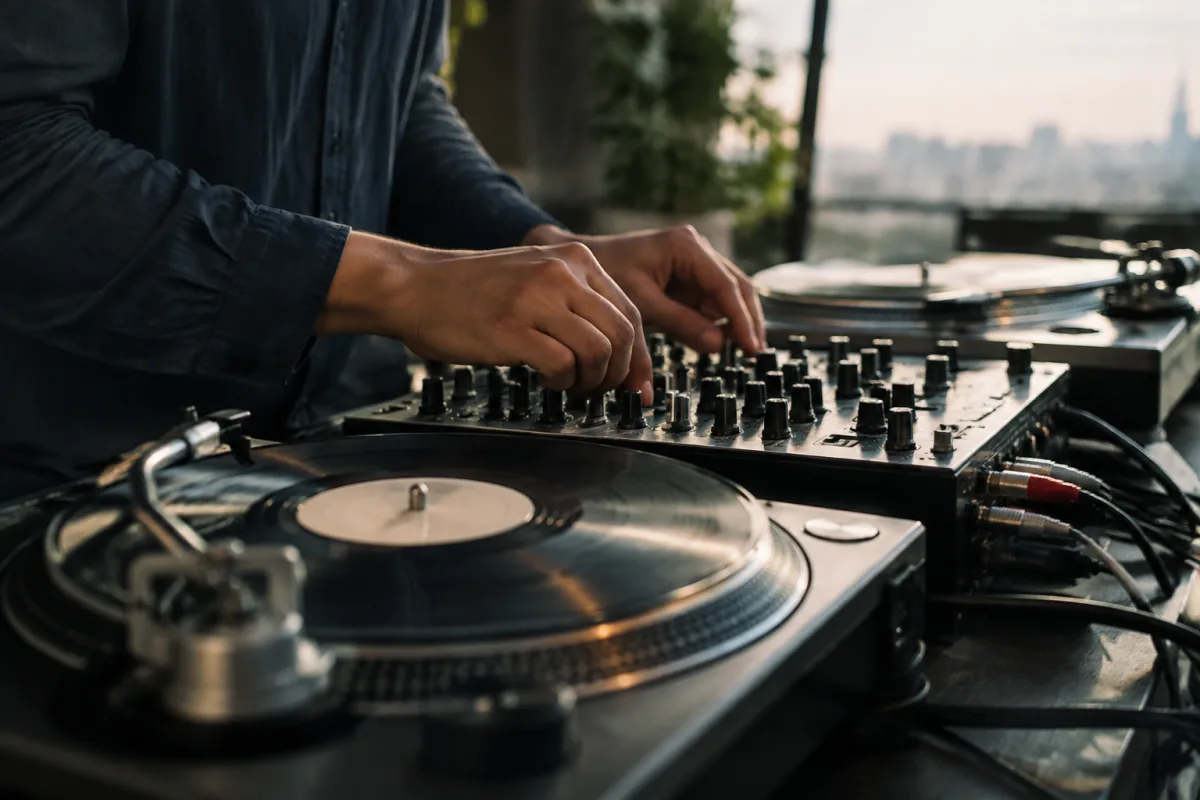
You've dreamed about DJing, but the thought of piecing together turntables, a mixer, amplifier, and speakers seems overwhelming and expensive. An all-in-one DJ system changes that equation entirely. These integrated units contain everything you need to mix and perform music, eliminating the confusion of component selection. This beginner's guide walks you through what to expect from day one, helps you understand what you're actually getting, and teaches you how to start mixing music confidently within your first session.
Why All In One DJ Systems Are Perfect for Beginners
A traditional DJ setup requires buying and connecting separate components: turntables, mixer, amplifier, and speakers. You're researching compatibility, cable types, and optimal configurations. An all-in-one system skips this entirely. Everything is pre-configured, tested, and ready to use out of the box. This means less time troubleshooting and more time learning the fundamentals of DJing: beatmatching, mixing, and reading a crowd.
Beyond simplicity, all-in-one DJ systems are economical. You're paying for an integrated solution, not premium components. A beginner system costs £300–£800, whereas comparable separate components often exceed £1,500. This affordability means less risk if you discover DJing isn't for you, and more confidence to experiment and learn.
What an All In One DJ System Actually Includes
| Component | Function | In All-In-One? |
|---|---|---|
| Turntables/Decks | Play tracks and control playback | Yes (usually 2) |
| Mixer/Crossfader | Blend between tracks, adjust EQ | Yes, built-in |
| Amplifier | Power the speakers | Yes, integrated |
| Speakers | Output sound | Usually included, sometimes sold separately |
| Headphones | Monitor tracks before mixing | Often sold separately |
Essentially, you get a complete studio in one box. Plug into a power outlet, connect USB to your computer (if your system is computer-based), load music files, and you're ready to start DJing. No expertise in audio engineering required.
Your First Session: What to Expect
Unboxing an all-in-one DJ system, here's exactly what happens:
- Plug in and power on. No configuration needed. Most systems power up ready to use.
- Load a few songs onto your computer or USB stick. The system reads your music files automatically.
- Select a track on the left deck. You'll see the waveform on screen and hear the music through the speakers.
- While the first track plays, load a second track on the right deck. Listen through headphones to prepare your transition.
- Use the crossfader or volume fader to transition between decks. Move the fader smoothly, and the music shifts from left speaker to right speaker.
- That transition is a DJ mix. You've just done it. Congratulations.
Within 15 minutes of unboxing, you've mixed music. Beginner systems are designed for this immediate gratification. You focus on the creative joy of mixing, not the technical complexity of setup.
Three Essential Skills to Learn First
Beatmatching (Getting Tracks in Sync)
When tracks play at different speeds, transitions sound sloppy. Most all-in-one systems include a "sync" button that automatically matches track tempos electronically. Press it, and both decks play at the same BPM instantly. Manual beatmatching comes later—for now, sync is your friend. It works, it's reliable, and it lets you focus on creativity.
The Crossfader and Volume Balance
The crossfader transitions between decks by panning the sound left and right. Move it smoothly from left to right, and the music slowly shifts from the left deck to the right deck. Alternatively, use the volume faders to adjust deck levels independently. Start with crossfader transitions; they're easier to master visually.
Basic EQ Control
Most all-in-one systems include high, mid, and low EQ knobs for each deck. During a transition, slightly lower the outgoing track's lows while increasing the incoming track's lows. This creates smooth frequency blending and makes transitions sound professional. Don't overthink it—simple EQ adjustments go a long way.
Common Beginner Mistakes to Avoid
- Neglecting to use headphones for cueing. Headphones let you preview the next track without the audience hearing it. Beginners who jump between tracks without cueing create jarring, unprofessional transitions. Always listen in headphones first.
- Ignoring the sync button out of pride. Manual beatmatching is an art you'll learn later. Using sync initially is sensible and professional. Veteran DJs use sync too. Don't waste energy on unnecessary complexity.
- Cranking the volume immediately. Start quiet, test that everything's working, then gradually increase volume as your confidence grows. Blowing out your ears or speakers is not the beginner experience you want.
- Mixing similar BPM tracks while learning. Start with tracks far apart in tempo (80 BPM and 120 BPM). This makes beatmatching visually obvious and easier to hear. Mixing 119 BPM to 121 BPM requires fine adjustments you're not ready for yet.
- Forgetting to save your mixes. Most all-in-one systems can record your session to your computer. Hit record and capture what you're doing. You'll want to listen back and hear your progress.
- Expecting perfection immediately. Your first transitions might be clumsy or awkwardly timed. This is normal and fine. Every professional DJ started exactly here. Practice builds muscle memory and confidence within weeks.
Building Your Music Library
A DJ is only as good as their music library. Start by collecting 50–100 tracks in a genre you love. Ensure tracks are high-quality MP3 files (192 kbps or higher) or lossless formats. Organise them by BPM, so you can quickly find compatible tracks for mixing. Many all-in-one systems analyse BPM automatically, so this happens seamlessly in the background.
As you grow more comfortable, expand your library strategically. Add variety, build themes, and explore related genres. A diverse library lets you read the room and respond to energy shifts—the mark of a confident DJ.
Troubleshooting Common Issues
If your system isn't outputting sound, check that speakers are powered on and connected. If the crossfader feels sticky, clean it gently with electronics-safe contact cleaner. If tracks aren't loading, verify they're in a supported format (MP3, WAV, etc.). Most beginner issues resolve through simple troubleshooting. Your manual and manufacturer support are your friends here.
For comprehensive guides to mixing techniques, advanced performance strategies, and detailed comparisons of all-in-one DJ systems, explore our complete guide to all-in-one DJ systems.
From Beginner to Confident DJ
An all-in-one DJ system eliminates barriers to entry. Within your first session, you'll mix tracks. Within your first week, you'll beatmatch confidently. Within your first month, you'll develop instincts about which songs work together and how long transitions should take.
DJing is fundamentally creative. You're curating music, reading energy, and controlling the emotional arc of your set. An all-in-one system gives you the tools; your ears, taste, and instincts do the rest. Start simple, mix often, and trust that confidence grows through practice. You've got this.


Comments