
DJ Supplies article
The Complete Guide to Dj Supplies
DJ supplies form the backbone of every mix, from turntables and controllers to headphones and mixers. Discover the essential equipment every DJ needs and how to build a setup that matches your budget and goals.
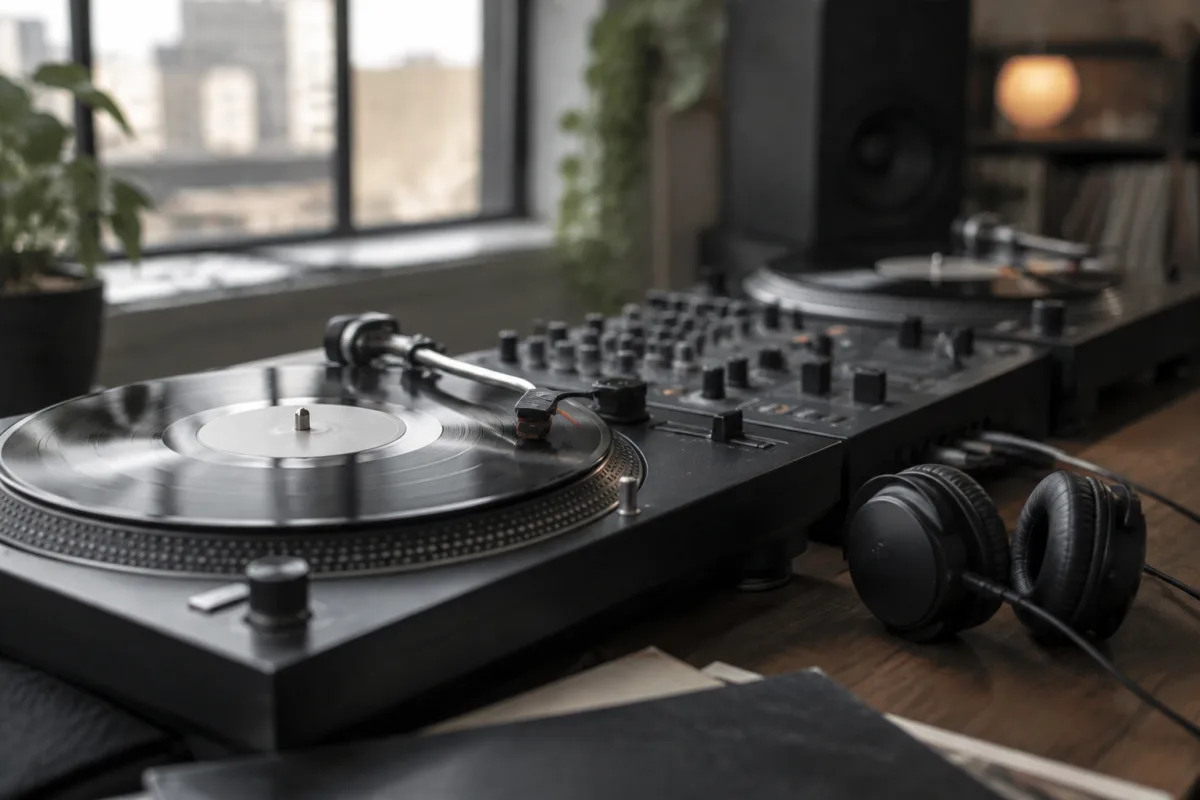
DJ supplies form the backbone of every mix, whether you're performing in a club, streaming online or practising at home. From turntables and CDJs to headphones, mixers and software, the right DJ supplies make your mixing smoother, your transitions tighter and your sound clearer. This guide breaks down the essential supplies a modern DJ needs and what to look for when building or upgrading your rig.
What Are DJ Supplies?
DJ supplies include all the equipment and accessories a DJ uses to mix music, curate sets and perform. The basics are a source (turntables, CDJs or a laptop), a mixer to blend tracks and add effects, headphones for monitoring, and speakers to play out. Beyond these essentials, supplies include tools for organisation (record bags, flight cases), cables and adapters, maintenance items (styluses, cleaning solutions), and software for music management and live performance.
A professional DJ's setup might range from modest (a pair of controllers and a laptop) to elaborate (multiple turntables, a full mixer with effects, a lighting rig and a sound system). The scale depends on your venue, budget and artistic goals.
Core Equipment Categories
Turntables and Players
Turntables remain iconic in DJing, valued for hands-on control and the tactile connection between DJ and music. A vinyl turntable includes the platter, tonearm, cartridge and stylus. CD turntables (CDJs) play CDs and USB files and offer tempo control and cueing. Modern DJ setups often replace turntables with digital controllers, which use a laptop as the source, offering limitless music library access without physical media.
Mixers
A DJ mixer blends audio from two or more sources—turntables, CDJs, controllers—and adds effects like reverb, delays and filters. Mixers range from simple two-channel units for bedroom DJs to professional four-channel or larger models used in clubs. A quality mixer features smooth crossfaders, responsive EQ knobs, and low-noise audio path.
Headphones
DJ headphones let you monitor the incoming track while the main speakers play the current track. Essential features include isolation (to hear the headphone mix clearly even in loud venues), a swappable cable (so if it catches, only the cable pulls, not the jack), and comfortable fit for hours of wear. Many DJs prefer closed-back headphones for isolation; others favour semi-open designs for natural sound.
Controllers and Digital Interfaces
A DJ controller is a MIDI device that connects to a laptop and controls DJ software like Serato, Rekordbox or Traktor. Controllers typically include two or four channels, jog wheels for scratching and pitch control, pads for triggering cue points or samples, and a built-in mixer. They are affordable, portable and the most common entry point for new DJs.
Speakers and Monitors
Studio monitors (nearfield speakers) are designed for accurate, balanced sound—essential for mixing and producing. Active monitors include built-in amplifiers; passive monitors need an external amp. For live performance, powered PA speakers project sound to an audience. Subwoofers add bass weight. Quality monitors reveal problems in your mix that cheap speakers hide.
Essential Accessories and Support Items
| Item | Purpose | When You Need It |
|---|---|---|
| XLR and RCA cables | Connect equipment and carry audio signal | Always; buy quality cables to avoid noise and interference |
| Record bag or flight case | Transport vinyl or equipment safely | If you're gigging or moving gear frequently |
| Slipmats | Reduce friction on turntable platters for scratching | For vinyl turntables if you scratch |
| Styluses and cartridges | Replace worn turntable parts | Every 500–2000 hours of play for styluses |
| Cleaning supplies | Clean vinyl records, platters and equipment | Regular maintenance for best sound |
| Cue stickers | Mark cue points on vinyl records | If DJing with vinyl; less critical with digital |
| DJ software | Control and organise music on laptop | For controller or media player workflows |
| USB hub and cables | Connect controller and backup storage | Essential for reliable laptop setup |
Building Your DJ Setup on a Budget
Starting out requires less investment than many assume. Essential DJ supplies—a controller, headphones and software (much is free)—cost £200–£500. Add a pair of affordable monitors (£100–£300), and you have a functional home mixing space. A professional gigging DJ rig might cost £2,000–£5,000 or more for turntables, mixer, speakers and accessories.
Beginning DJs should prioritise a quality controller over flashy gear. Your mixing skill matters more than equipment. Once you've mastered basic mixing, upgrading your mixer, headphones or speakers pays dividends.
Maintenance and Longevity
DJ equipment requires care. Keep vinyl records clean and stored upright in sleeves. Replace styluses before they damage records. Clean mixer pots and faders if they develop scratchy noises. Backup your music library and playlists. Check cables for damage before gigs. A flight case protects expensive gear during transport. Well-maintained supplies last years; neglected gear fails at inconvenient moments.
Staying Current and Evolving Your Setup
DJ technology evolves constantly. Vinyl has resurged in popularity; digital controllers have become more sophisticated; streaming services have changed how DJs access music. Your supplies should match your style and goals. Some DJs embrace vintage turntables; others love cutting-edge controllers. Many use hybrids—vinyl for feel and character, digital for convenience and control.
Conclusion
Quality DJ supplies are an investment in your craft. Whether you're mixing vinyl in a basement, controlling digital tracks in a booth, or live streaming from home, the right equipment—chosen thoughtfully and maintained properly—enables confident, creative mixing. Start with essentials, learn your gear intimately, then upgrade gradually as your skills and needs evolve.


Comments